A Network Attached Storage (NAS) is a simple, secure way to keep all your family’s photos, videos, and documents organized in one place. It connects to your home network, making files accessible from any device or location. With expanded storage and automatic backups, it protects your data from loss or theft. Plus, you can easily share files with family members. Stick around to discover how a NAS can make managing your digital life easier and more secure.

Get smart everyday buys delivered free with Prime
- Fast, free delivery on millions of items
- Prime Video, Amazon Music and more included
- Member-only deals all year
Key Takeaways
- NAS acts as a secure, centralized cloud for family photos, videos, and documents, making data easy to access and share.
- It offers scalable storage, allowing families to expand capacity as their digital collections grow.
- Advanced security features safeguard sensitive family data from threats and unauthorized access.
- NAS connects to home devices, enabling seamless access from smartphones, tablets, or computers anywhere.
- It helps organize, back up, and protect memories, promoting good digital habits and peace of mind.
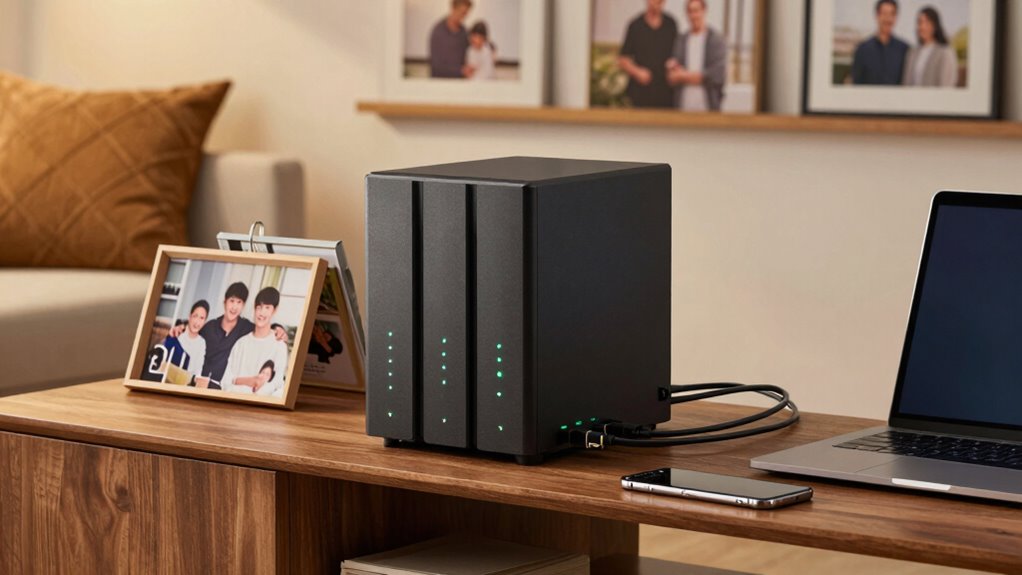
In today’s digital age, managing and safeguarding family records can feel overwhelming, but a Network Attached Storage (NAS) device offers a simple, centralized solution. A NAS acts like a personal cloud, giving you a dedicated space to store all your important files, photos, videos, and documents in one secure location. Instead of scattering data across multiple devices or relying solely on external drives, a NAS provides a reliable way to keep everything organized and easily accessible. Its straightforward setup means you don’t need to be a tech expert to get started, making it ideal for families wanting a hassle-free way to manage their digital life.
One of the biggest advantages of a NAS is its impressive storage capacity. You can select a device that meets your current needs and expand it later as your family’s digital collection grows. This flexibility means you won’t run out of space when your kids’ photo albums increase or when you start collecting family videos. With a NAS, you can add multiple hard drives, creating a large, scalable storage pool that adapts to your family’s changing requirements. This way, you don’t have to worry about deleting cherished memories to free up space, and everyone can access what they need without delay. Additionally, understanding the storage capacity of your device can help you plan for future needs more effectively.
A NAS offers expandable storage, ensuring your family’s digital collection grows without concerns about space.
Data security is another key benefit. A NAS comes with advanced security features, like encryption and user permissions, to help keep your family’s sensitive information safe. You can control who has access to specific files, ensuring that private documents or personal photos stay protected from unauthorized viewers. Many NAS devices also offer automatic backups, reducing the risk of data loss from hardware failure, theft, or accidental deletion. This built-in safety net gives you peace of mind, knowing that your family’s digital memories are secure and recoverable. Additionally, security features such as remote access controls help you monitor and manage data safety even when you’re away from home. Incorporating data protection practices such as regular updates and secure connections further enhances your family’s digital safety. Moreover, understanding the importance of digital security can help you make informed decisions about managing your family’s online information.
Using a NAS also encourages good digital habits within your family. Everyone can access shared folders for collaborative projects or family plans, making coordination easier. Plus, since it’s connected to your home network, you can access your files from any device—smartphone, tablet, or computer—whether you’re at home or on the go. This seamless accessibility, combined with robust data security and ample storage capacity, makes a NAS a smart investment for any family wanting to organize and protect their digital life efficiently. It simplifies managing your family records, giving you more time to enjoy your memories rather than worrying about where they’re stored or if they’re safe.
Family NAS device with expandable storage
As an affiliate, we earn on qualifying purchases.
As an affiliate, we earn on qualifying purchases.
Frequently Asked Questions
Can NAS Devices Be Used for Streaming Media?
Yes, NAS devices can be used for media streaming. They support media streaming by allowing you to access your movies, music, and photos from multiple devices. Most NAS devices offer high device compatibility, meaning you can stream content to smart TVs, computers, tablets, or smartphones. Simply set up your NAS, connect it to your network, and enjoy smooth media streaming across your devices without needing extra hardware.
How Secure Is Data Stored on a NAS?
Think of your NAS as a treasure chest. Its security depends on encryption security, which acts like a lock, and data redundancy, like multiple copies of your treasure hidden around. When properly set up, your data stays safe from theft or loss. However, if you neglect updates or strong passwords, vulnerabilities can emerge. So, guarantee your NAS is well-protected with encryption and redundancy for peace of mind.
What Is the Cost of Setting up a NAS?
Setting up a NAS varies in cost depending on your needs. You’ll find different pricing options, from budget-friendly models around $200 to high-end systems costing over $1,000. Setup costs include purchasing the device, hard drives, and possibly additional accessories. If you’re comfortable with DIY, you save on professional installation. Overall, plan for initial setup costs and ongoing maintenance to guarantee your family records stay secure and accessible.
How Many Users Can Access a NAS Simultaneously?
Imagine your NAS as a bustling digital family reunion—dozens, maybe hundreds, can join without a fuss, as long as your hardware can handle it. Usually, a typical NAS supports 50 to 100 users simultaneously, perfect for backup strategies and cloud integration. Just remember, more users mean more bandwidth and storage needs, so plan accordingly to keep everyone happy and your data safe.
Do NAS Devices Require Technical Expertise to Operate?
No, NAS devices don’t require technical expertise to operate. You can easily set up user permissions to control who accesses specific files, and enable data encryption to keep your family’s records secure. Most NAS units come with user-friendly interfaces, guiding you step-by-step. With a little initial setup, you’ll be able to manage your family records, share files effortlessly, and guarantee privacy without needing advanced technical skills.
Home network attached storage for photos and videos
As an affiliate, we earn on qualifying purchases.
As an affiliate, we earn on qualifying purchases.
Conclusion
In conclusion, setting up a Network Attached Storage keeps your family’s memories safe and accessible. Did you know that nearly 60% of families lose important data each year due to hardware failure or accidental deletion? With a NAS, you can prevent that loss and have everything organized in one secure place. It’s a simple, effective way to guarantee your cherished photos, documents, and videos are always protected and easy to find when you need them most.
Secure NAS for family data backup
As an affiliate, we earn on qualifying purchases.
As an affiliate, we earn on qualifying purchases.
As an affiliate, we earn on qualifying purchases.
Halloween Picks
halloween
As an affiliate, we earn on qualifying purchases.