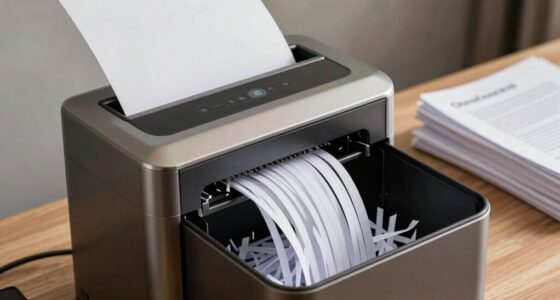
To guarantee truly safe document storage with an encrypted NAS, you need more than just encryption. You should implement strong access controls, such as role-based permissions and multi-factor authentication, to prevent unauthorized access. Coupling encryption with secure cloud backups and regular security reviews adds essential layers of protection. By adopting a layered security approach, you minimize vulnerabilities and enhance your data’s safety. Keep exploring to discover how combining these measures builds a resilient storage solution.

Get smart everyday buys delivered free with Prime
- Fast, free delivery on millions of items
- Prime Video, Amazon Music and more included
- Member-only deals all year
Key Takeaways
- Combine strong encryption with strict access controls and multi-factor authentication for comprehensive security.
- Implement secure, end-to-end encrypted cloud backups to prevent data loss and ensure recovery.
- Regularly review and update user permissions to minimize insider threats and unauthorized access.
- Use encrypted storage alongside robust backup protocols and permissions for layered data protection.
- Maintain awareness of emerging threats and continuously update security measures to adapt to evolving risks.
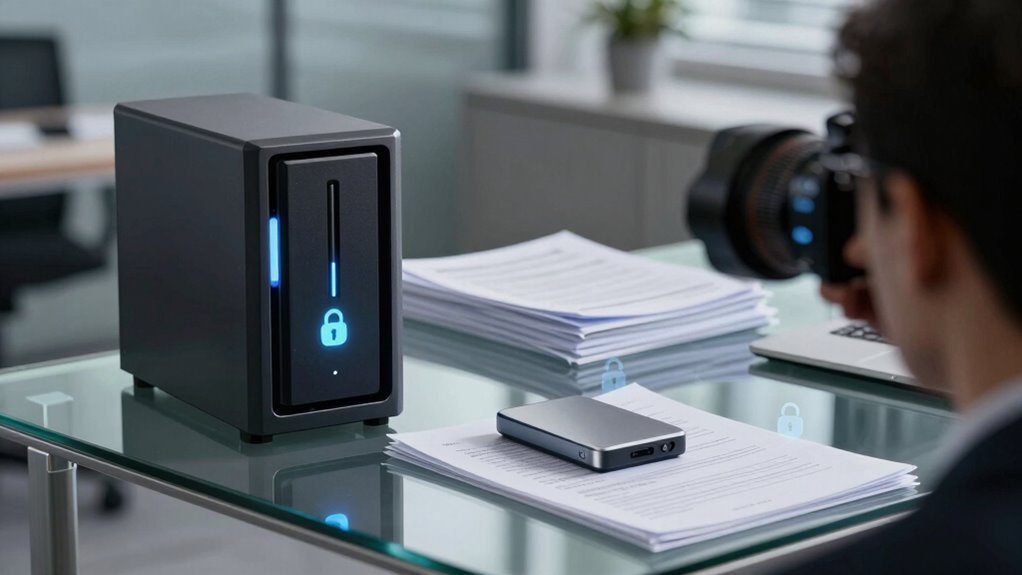
Are you concerned about protecting your sensitive data on a Network-Attached Storage (NAS) device? If so, you’re not alone. As more organizations and individuals rely on NAS for storing critical documents, ensuring their security becomes paramount. An encrypted NAS solution offers a strong line of defense, but true safety involves more than just encryption. Even small vulnerabilities can be exploited if other security measures aren’t in place. You need a thorough approach that includes secure cloud backup options and strict access control measures. Without these, even the most advanced encryption can fall short of safeguarding your data from threats.
Cloud backup plays an essential role in your overall security strategy. It ensures that your data isn’t lost due to hardware failure, theft, or ransomware attacks. When choosing a cloud backup service to complement your encrypted NAS, look for one that offers end-to-end encryption. This way, your data remains protected both during transfer and while stored in the cloud. Additionally, verify that the backup provider has robust security protocols and compliance certifications, giving you confidence that your sensitive information stays confidential. Cloud backup also provides easy recovery options, so even if your NAS gets compromised, you can restore your documents quickly without risking exposure. Incorporating off-site storage is a critical step to enhance your data resilience.
Access control is equally critical. You need to define who can access your NAS and what they can do with your data. Implementing strict access control policies means setting permissions based on roles, preventing unauthorized users from viewing or modifying sensitive documents. Multi-factor authentication adds an extra layer of security, making it harder for intruders to gain access even if they obtain login credentials. Regularly reviewing user accounts and permissions helps you catch any anomalies early and tighten security as needed. Remember, limiting access to only those who truly need it reduces the risk of accidental leaks or insider threats. Incorporating role-based permissions further strengthens your security by aligning access rights with user responsibilities.
Encryption alone isn’t enough if you neglect these other elements. Even with data encrypted at rest, unauthorized access through weak permissions or insufficient backup security can compromise your information. Combining encryption with a resilient cloud backup strategy ensures you have a secure, off-site copy of your data in case of emergencies. Moreover, understanding cybersecurity best practices can help you implement effective security measures and recognize potential vulnerabilities early. Meanwhile, rigorous access control policies prevent unauthorized users from exploiting vulnerabilities to reach your sensitive documents. Together, these practices create a layered defense that greatly enhances your data’s safety. Implementing proper security measures is essential to prevent potential breaches. Additionally, staying informed about emerging threats and regularly updating your security protocols can help you stay one step ahead of cybercriminals.
In the end, a truly safer document storage solution isn’t about relying solely on encryption. It’s about integrating encryption, secure cloud backup, and strict access control into a comprehensive security plan. That way, you can confidently store your sensitive data on an encrypted NAS, knowing that you’ve minimized risks and increased your protection against evolving threats.
As an affiliate, we earn on qualifying purchases.
Frequently Asked Questions
How Does Encrypted NAS Compare to Cloud Storage Security?
Encrypted NAS offers you more control over remote access and data redundancy, making it quite secure. Unlike cloud storage, which depends on third-party providers, your NAS keeps your data within your own network, reducing risks of breaches. You can set strict access controls and guarantee backups are redundant across drives. While cloud storage is convenient, an encrypted NAS provides a safer, more private solution for sensitive documents.
What Are the Common Vulnerabilities in Encrypted NAS Systems?
You should be aware that common vulnerabilities in encrypted NAS systems often stem from weak access controls and inadequate vulnerability assessments. If you don’t properly manage user permissions, unauthorized users could access sensitive data. Additionally, neglecting regular vulnerability assessments leaves you blind to potential security flaws. To keep your data safe, you need to implement strong access controls and perform ongoing vulnerability assessments to identify and fix security gaps promptly.
How Often Should Encryption Keys Be Updated?
Think of encryption keys as the locks on your digital vault—regularly changing them keeps your treasures safe. You should update your keys through key rotation at least every three to six months, depending on your security needs. Pair this with strict access management, ensuring only authorized users can access your data. Frequent key updates reduce the risk of compromise, making your encrypted NAS system a fortress rather than a fragile gate.
Can Encrypted NAS Prevent Insider Threats Effectively?
Encrypted NAS can help prevent insider threats if you properly manage insider access and trust levels. By implementing strict trust management, you limit who can access sensitive data, reducing insider risk. Encryption adds a layer of security, but it’s not foolproof against insiders with authorized access. Combining encryption with strong access controls and regular auditing guarantees you better protect your documents from malicious or accidental insider threats.
What Are the Cost Implications of Deploying Encrypted NAS?
Sure, deploying encrypted NAS might seem costly at first, but the real expense lies in ignoring security. Your cost analysis includes hardware investments, which can be hefty, and ongoing maintenance. While it’s tempting to overlook these expenses, neglecting encrypted storage risks costly data breaches. So, in the end, you pay a little now or a lot later—choose wisely, because security isn’t just an expense, it’s an investment in peace of mind.
multi-factor authentication hardware token
As an affiliate, we earn on qualifying purchases.
As an affiliate, we earn on qualifying purchases.
Conclusion
With an encrypted NAS solution, you’re safeguarding your documents from threats. Did you know that 60% of small businesses experience a data breach each year? That’s a staggering number, highlighting the importance of proper security. By choosing a robust, encrypted storage system, you’re not just protecting files—you’re ensuring peace of mind. Don’t wait for a breach to realize the value of secure storage; take action now to keep your data safe and sound.
end-to-end encrypted cloud backup service
As an affiliate, we earn on qualifying purchases.
As an affiliate, we earn on qualifying purchases.
As an affiliate, we earn on qualifying purchases.
Halloween Picks
halloween
As an affiliate, we earn on qualifying purchases.