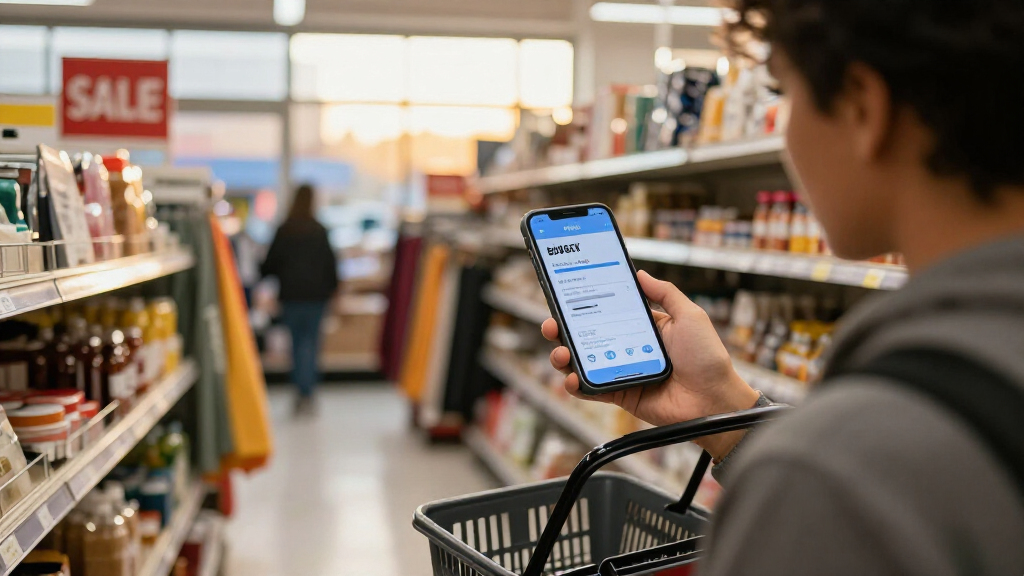
The best budgeting apps for Black Friday shopping help you set a firm spending limit, track purchases as they happen, and avoid letting a tempting deal distort your budget. Black Friday Shopping Planner and Budget Tracker is the clearest fit for shoppers who want a dedicated seasonal plan, while Money Manager: Expense Tracker and Budget App suits people who want broader expense tracking alongside holiday spending. Smart Budgeting with AI is another option for shoppers drawn to guided, automated money management. The main tradeoff is between a focused shopping plan and a flexible tool you can use all year; ease of logging, reminders, and privacy also matter. Read on for how all 14 options compare and which type of shopper each one suits.

Get smart everyday buys delivered free with Prime
- Fast, free delivery on millions of items
- Prime Video, Amazon Music and more included
- Member-only deals all year
Key Takeaways
- The dedicated planner has the most direct Black Friday focus: Black Friday Shopping Planner and Budget Tracker is the most tailored option in a lineup otherwise made up mainly of general budgeting and expense-tracking apps.
- General-purpose tools may offer more year-round value: Money Manager: Expense Tracker and Budget App and Budget Manager are better starting points for shoppers who want to track everyday spending beyond the sales weekend.
- Automation is a preference, not a requirement: Smart Budgeting with AI may appeal to people who want guided money management, while a straightforward expense tracker can suit shoppers who prefer hands-on control.
- Several names suggest similar functions: With multiple Budget Manager and Expense Manager entries, shoppers should compare how each handles categories, limits, and purchase entry rather than choosing by name alone.
- A useful Black Friday setup needs a spending plan before the event: An app can record purchases and send reminders, but shoppers still need to set a total limit and account for tax, shipping, and other seasonal spending.
| Smart Budgeting with AI: Save More, Spend Smarter, and Take Control of Your Money |  | Best for AI-Curious Shoppers | Product type: Budgeting product | Named feature: AI-focused budgeting, according to the title | Stated purpose: Save more, spend smarter, and take control of money | VIEW LATEST PRICE | See Our Full Breakdown |
| Money Manager: Expense Tracker and Budget App |  | Best for Tracking Black Friday Spending | Product type: Money management app | Expense tracking: Included, according to the description | Budgeting: Included, according to the description | VIEW LATEST PRICE | See Our Full Breakdown |
| Budget Manager |  | Best for Buyers Checking the Basics First | Product type: Not specified | Product name: Budget Manager | Budgeting features: Not provided | VIEW LATEST PRICE | See Our Full Breakdown |
| Expense Tracker 2.0: Personal Finance Assistant |  | Best for Broader Spending Management | Product type: Personal finance tool | Named version: 2.0 | Expense tracking: Included, according to the description | VIEW LATEST PRICE | See Our Full Breakdown |
| HomeBudgetBook Free |  | Best for Home-Budget Shoppers Exploring a Free Option | Product name: HomeBudgetBook Free | Product type: Not specified | Named focus: Home budget, suggested by the product name | VIEW LATEST PRICE | See Our Full Breakdown |
| Expense Manager – Money Manager – Budget Manager |  | Best for Flexible Expense Tracking | Product name: Expense Manager – Money Manager – Budget Manager | Product category: Expense and budget management | Stated functions: Expense management and budget management | VIEW LATEST PRICE | See Our Full Breakdown |
| Black Friday Shopping Planner and Budget Tracker |  | Best for Black Friday Trip Planning | Product name: Black Friday Shopping Planner and Budget Tracker | Product category: Black Friday shopping planner and budget tracker | Budget tracking: Included | VIEW LATEST PRICE | See Our Full Breakdown |
| Budgeting & Finances |  | Best for a Simple Budgeting Starting Point | Product name: Budgeting & Finances | Product category: Budgeting and personal finance | Expense tracking: Not specified | VIEW LATEST PRICE | See Our Full Breakdown |
| SpendWise: Smart Expense & Budget Manager |  | Best for Shoppers Seeking an Expense-First Tool | Product name: SpendWise: Smart Expense & Budget Manager | Product category: Expense and budget management | Expense management: Indicated by product name | VIEW LATEST PRICE | See Our Full Breakdown |
| Budget Manager – Finance Expense Tracker |  | Best for a Straightforward Budget-and-Expense Focus | Product name: Budget Manager – Finance Expense Tracker | Product category: Budget management and expense tracking | Budget management: Included, according to the description | VIEW LATEST PRICE | See Our Full Breakdown |
| Budget Spending Nest |  | Best for a Shared Household Shopping Plan | Product name: Budget Spending Nest | ASIN: B0HG91DCL8 | Product category: Budgeting app | VIEW LATEST PRICE | See Our Full Breakdown |
| Smart Budget Reminder |  | Best for Shoppers Who Want to Check Reminder Features | Product name: Smart Budget Reminder | ASIN: B0H99ZNQWF | Product category: Budgeting app | VIEW LATEST PRICE | See Our Full Breakdown |
| Colorful Budget |  | Best for Shoppers Seeking a Visual Budgeting Approach | Product name: Colorful Budget | ASIN: B00MEK0BKI | Product category: Budgeting app | VIEW LATEST PRICE | See Our Full Breakdown |
| Smart Budgeting |  | Best for Comparing a General-Purpose Budgeting Option | Product name: Smart Budgeting | ASIN: B0FH2M7FW6 | Product category: Budgeting app | VIEW LATEST PRICE | See Our Full Breakdown |
| budgeting apps for Black Friday shopping | Product name | Product category |
|---|---|---|
| Smart Budgeting with AI: Save | — | — |
| Money Manager: Expense Tracker | — | — |
| Budget Manager | Budget Manager | — |
| Expense Tracker 2.0: Personal | — | — |
| HomeBudgetBook Free | HomeBudgetBook Free | — |
| Expense Manager | Expense Manager – Money Manager – Budget Manager | Expense and budget management |
| Black Friday Shopping Planner | Black Friday Shopping Planner and Budget Tracker | Black Friday shopping planner and budget tracker |
| Budgeting & Finances | Budgeting & Finances | Budgeting and personal finance |
| SpendWise: Smart Expense & Bud | SpendWise: Smart Expense & Budget Manager | Expense and budget management |
| Budget Manager | Budget Manager – Finance Expense Tracker | Budget management and expense tracking |
| Budget Spending Nest | Budget Spending Nest | Budgeting app |
| Smart Budget Reminder | Smart Budget Reminder | Budgeting app |
| Colorful Budget | Colorful Budget | Budgeting app |
| Smart Budgeting | Smart Budgeting | Budgeting app |
More Details on Our Top Picks
Smart Budgeting with AI: Save More, Spend Smarter, and Take Control of Your Money
The title makes AI-assisted budgeting the main draw, which may appeal to Black Friday shoppers looking for guidance while setting spending limits. But the supplied product details do not explain what the AI does, whether it categorizes purchases, or how shoppers enter and review a budget. That makes this a less verifiable choice than Money Manager: Expense Tracker and Budget App, whose stated purpose at least includes expense tracking and budget management. I would treat this as a possible fit for readers drawn to an AI-focused approach, not as a proven way to plan sale-day spending. Without information about alerts, tracking, or shopping-specific tools, its usefulness for keeping a Black Friday plan on course remains uncertain.
Pros:- AI-focused positioning may interest shoppers seeking an assisted budgeting approach
- The title emphasizes saving and spending control, both relevant to setting a shopping limit
- Could suit buyers willing to investigate the product before choosing a budgeting method
Cons:- No supplied details explain the AI features or how they work
- No confirmed expense tracking, budget tools, alerts, or Black Friday-specific features
- Limited product information makes it difficult to judge whether it can support a real shopping plan
Best for: Shoppers specifically curious about an AI-themed budgeting product who are willing to verify its capabilities before relying on it for sale-day limits
Not ideal for: Buyers who need confirmed expense tracking, spending alerts, or a clearly described Black Friday shopping workflow
- Product type:Budgeting product
- Named feature:AI-focused budgeting, according to the title
- Stated purpose:Save more, spend smarter, and take control of money
- Expense tracking details:Not provided
- Budgeting workflow:Not provided
- Black Friday tools:Not provided
Our verdict“Choose this only if the AI angle interests you and you can confirm its actual budgeting features before using it for Black Friday spending.”
Money Manager: Expense Tracker and Budget App
For shoppers who want to record purchases against a plan, this is the clearest fit among the five: its description explicitly names expense tracking and budget management. Those functions can help show whether gifts, household purchases, and other sale-day buys are adding up to the limit you set. Unlike Smart Budgeting with AI, it does not promise an AI-led approach; its appeal is the straightforward pairing of tracking and budgeting. The tradeoff is that the supplied details say nothing about category budgets, receipt entry, alerts, syncing, or a Black Friday planner. I would shortlist it for basic spending oversight, while checking the app’s actual workflow before counting on it for detailed shopping categories or automatic tracking.
Pros:- Expense tracking is explicitly identified in the product description
- Budget management is included in the stated purpose
- The combined tracking-and-budget focus aligns with monitoring purchases against a spending cap
Cons:- No details confirm how expenses are entered or organized
- No supplied information about alerts, syncing, or category-level budgets
- No Black Friday-specific planning features are described
Best for: Black Friday shoppers who want a general-purpose tool explicitly described as tracking expenses and managing a budget
Not ideal for: Shoppers who need confirmed sale alerts, automatic transaction syncing, receipt capture, or dedicated gift-list features
- Product type:Money management app
- Expense tracking:Included, according to the description
- Budgeting:Included, according to the description
- Money management:Included, according to the description
- Transaction entry method:Not provided
- Black Friday tools:Not provided
Our verdict“Pick this for straightforward expense tracking and budgeting, but verify its tracking workflow if you need more than basic spending oversight.”
Budget Manager
Budget Manager has a title that matches the central Black Friday task: assigning a limit before shopping. Yet no product description or features were supplied, so the name alone cannot confirm whether it supports budgets, expense logging, or anything beyond the label. That makes it harder to recommend than Money Manager: Expense Tracker and Budget App, which has expense tracking and budgeting explicitly stated. Its narrow, budget-first name may still draw shoppers who want to investigate a simple planning option, but there is not enough evidence to call it simple in use or suitable for managing purchases. I would only shortlist it after checking what the product actually provides, especially if you need to track sale-day spending as it happens.
Pros:- Its name directly signals a budget-management focus
- A budget-first concept is relevant to setting a Black Friday spending ceiling
- May merit a closer look for shoppers comparing basic planning tools
Cons:- No product description or working features were supplied
- Expense tracking and purchase categorization are unconfirmed
- There is not enough information to judge usability or Black Friday suitability
Best for: Shoppers willing to inspect the available product details before choosing a tool whose title suggests budget management
Not ideal for: Buyers who need confirmed expense logging, spending categories, or a dependable Black Friday budget workflow without further research
- Product type:Not specified
- Product name:Budget Manager
- Budgeting features:Not provided
- Expense tracking:Not provided
- Transaction entry method:Not provided
- Black Friday tools:Not provided
Our verdict“Consider it only after confirming its features; the title suggests budgeting, but the available information cannot verify the basics.”
Expense Tracker 2.0: Personal Finance Assistant
This option is described as more than a ledger: it combines expense tracking, budgeting, and spending management under a personal-finance-assistant label. For Black Friday, that combination could help shoppers monitor purchases while keeping an overall spending plan in view. Compared with Money Manager: Expense Tracker and Budget App, its stated emphasis on managing spending gives it a broader-sounding role, although the supplied details do not confirm any extra functions. The “2.0” name also does not tell me which capabilities are included. Without specifics on categories, alerts, or transaction capture, I would not assume it automates the work. It suits shoppers seeking a general finance tool, but not anyone relying on confirmed shopping-planner features.
Pros:- Expense tracking is stated as part of the product’s purpose
- Budgeting and spending management are both named
- Personal-finance framing may suit shoppers managing sale purchases alongside other spending
Cons:- No details explain how tracking or budgeting works
- The “2.0” label does not identify specific features
- No Black Friday-specific planning, alerts, or transaction capture details are supplied
Best for: Shoppers who want a personal finance tool described as combining expense tracking, budgeting, and spending management
Not ideal for: Buyers who require verified automatic transaction imports, purchase alerts, or a dedicated Black Friday shopping planner
- Product type:Personal finance tool
- Named version:2.0
- Expense tracking:Included, according to the description
- Budgeting:Included, according to the description
- Spending management:Included, according to the description
- Black Friday tools:Not provided
Our verdict“Choose this for a broadly framed expense-and-budget tool, provided its actual tracking features match the way you plan to shop.”
HomeBudgetBook Free
HomeBudgetBook Free signals two possible draws for Black Friday shoppers: a home-budget focus and a free offering. The supplied information, however, confirms only the name; it does not describe budgeting tools, expense tracking, or what “Free” covers. That leaves it less substantiated than Expense Tracker 2.0: Personal Finance Assistant, which is explicitly described as supporting expenses, budgeting, and spending management. The home-budget framing could suit someone planning household purchases alongside holiday gifts, but that fit is only suggested by the title, not verified by feature details. I would investigate the app’s actual capabilities and any limits before using it as the main record of sale-day spending.
Pros:- The name points toward household budgeting
- The product name includes “Free,” which may interest shoppers seeking a no-cost starting point
- Could be relevant to buyers planning household purchases as part of seasonal shopping
Cons:- No description confirms that it includes budgeting or expense-tracking functions
- The scope and limits of the “Free” offer are not provided
- No shopping, category, or Black Friday features are specified
Best for: Household shoppers interested in exploring a product named for home budgeting who are prepared to verify its features and free-use limits
Not ideal for: Shoppers who need confirmed expense tracking, clear budget categories, or a verified free plan before Black Friday
- Product name:HomeBudgetBook Free
- Product type:Not specified
- Named focus:Home budget, suggested by the product name
- Free offering:Indicated by the product name; terms not provided
- Expense tracking:Not provided
- Black Friday tools:Not provided
Our verdict“Explore it if a home-budget focus and free offering appeal, but verify the functions and usage limits before relying on it.”
Expense Manager – Money Manager – Budget Manager
Expense Manager – Money Manager – Budget Manager is a broad-purpose pick for shoppers who want to track spending around Black Friday without relying on a deal-specific planner. Its title signals expense and budget management, but the supplied details do not confirm how budgets are set up, whether transactions sync automatically, or what reports are available. That uncertainty matters: compared with Black Friday Shopping Planner and Budget Tracker, it has no documented gift-list or sale-schedule sections. Its potential advantage is a general money-management focus that may suit spending beyond the holiday rush, though that flexibility is not backed by feature specifics here. I would choose it only if a general expense manager fits your needs and you can verify its functions before relying on it for purchase limits.
Pros:- The product is presented as covering expenses and budgets.
- A general-purpose focus may suit spending beyond Black Friday.
- Its stated scope aligns with tracking purchases against a spending plan.
Cons:- No feature details confirm how budgets or expense records work.
- No Black Friday-specific tools are documented.
- No platform, setup, or data-sync information is provided.
Best for: Shoppers seeking a general expense-management option for tracking Black Friday spending alongside everyday expenses, provided its features meet their needs.
Not ideal for: Deal hunters who need confirmed gift lists, price-comparison logs, sale schedules, or clearly documented automatic transaction tracking.
- Product name:Expense Manager – Money Manager – Budget Manager
- Product category:Expense and budget management
- Stated functions:Expense management and budget management
- Black Friday-specific features:Not specified
- Automatic transaction sync:Not specified
- Platform:Not specified
Our verdict“Choose this only if you want a broadly named expense manager and can confirm its actual tracking tools before shopping.”
Black Friday Shopping Planner and Budget Tracker
Black Friday Shopping Planner and Budget Tracker is the most directly tailored option here: its described sections cover a budget tracker, price-comparison logs, gift lists, flash sales, doorbusters, and sale schedules. That organization can help shoppers decide what to buy and when, rather than simply recording spending after a purchase. Compared with Expense Manager – Money Manager – Budget Manager, it offers clearer holiday-shopping structure, while the general expense manager may be a better fit for everyday tracking if its unspecified features support that use. The tradeoff is that the listing gives no materials, dimensions, or other format details, so I can’t confirm whether it is a physical planner or how portable it is. It is strongest for planned lists, not shoppers seeking verified automatic bank syncing.
Pros:- Includes a budget tracker for planning a spending limit.
- Price-comparison logs support comparing offers before buying.
- Gift lists help organize purchases by recipient.
- Sale schedules cover flash sales and doorbuster timing.
Cons:- No format, material, or dimension details are provided.
- Automatic transaction imports or bank connections are not specified.
- Its described tools focus on holiday shopping rather than year-round finances.
Best for: Shoppers coordinating multiple gifts, sale times, and competing offers who want dedicated Black Friday planning sections.
Not ideal for: People who need confirmed mobile features, automatic bank syncing, or detailed information about the planner’s format and portability.
- Product name:Black Friday Shopping Planner and Budget Tracker
- Product category:Black Friday shopping planner and budget tracker
- Budget tracking:Included
- Gift lists:Included
- Sale planning:Sections for flash sales, doorbuster deals, and sale schedules
- Materials and dimensions:Not specified
Our verdict“Pick this for dedicated Black Friday lists and sale planning, but not when you need confirmed digital syncing or year-round expense tools.”
Budgeting & Finances
Budgeting & Finances has a broad title that may appeal to shoppers who want to think about a spending plan before Black Friday, but the supplied product information confirms no specific tools or features. That makes it a less grounded choice than Black Friday Shopping Planner and Budget Tracker, which explicitly lists gift, sale, and price-comparison sections. Its possible appeal is a general personal-finance framing rather than a holiday-only focus; however, I can’t verify whether it tracks expenses, supports spending categories, or offers reminders. For a buyer, the key tradeoff is breadth suggested by the name versus a lack of evidence about what the product actually does. I would not make it the sole guardrail for a shopping budget until its functionality is confirmed.
Pros:- Its stated subject is budgeting and personal finances.
- A general finance focus may be relevant beyond holiday shopping.
- The title clearly signals a budgeting-oriented product.
Cons:- No specific budgeting or expense-tracking functions are documented.
- No Black Friday planning features are confirmed.
- Platform, setup, and data handling details are absent.
Best for: A shopper curious about a general budgeting or finance product who is willing to check the available features before depending on it.
Not ideal for: Black Friday shoppers who need confirmed spending categories, price comparisons, gift organization, or transaction tracking.
- Product name:Budgeting & Finances
- Product category:Budgeting and personal finance
- Expense tracking:Not specified
- Budget categories:Not specified
- Black Friday-specific features:Not specified
- Platform:Not specified
Our verdict“Consider it only as a possible general budgeting option after verifying its functions; the dedicated planner is better documented for Black Friday.”
SpendWise: Smart Expense & Budget Manager
SpendWise: Smart Expense & Budget Manager presents itself as an expense and budget tool, making it a plausible fit for shoppers who want a place to monitor purchases against a planned limit. The listing supplied here does not explain what “smart” means, though, so I can’t claim automated categorization, alerts, or bank connections. In comparison, Black Friday Shopping Planner and Budget Tracker has documented gift lists and sale-planning sections; SpendWise’s title instead points toward broader expense management. That distinction could suit someone tracking purchases beyond one shopping event, but the missing feature details make it harder to judge how much manual work is involved. I would favor it over a holiday planner only if its actual expense-recording workflow is confirmed and year-round use matters more than deal organization.
Pros:- The product is explicitly framed around expenses and budgets.
- Its stated scope may extend beyond seasonal shopping.
- The expense-first positioning fits purchase monitoring against a budget.
Cons:- The meaning of “smart” is not explained in the supplied details.
- No alerts, automation, or bank connections are confirmed.
- No dedicated Black Friday planning sections are documented.
Best for: Shoppers who want an expense-focused budget tool for Black Friday purchases and possibly everyday spending, after checking its actual capabilities.
Not ideal for: Deal planners who need confirmed gift lists, price-comparison logs, sale schedules, or shoppers who require verified automatic tracking.
- Product name:SpendWise: Smart Expense & Budget Manager
- Product category:Expense and budget management
- Expense management:Indicated by product name
- Budget management:Indicated by product name
- Meaning of “smart” features:Not specified
- Black Friday-specific features:Not specified
- Platform:Not specified
Our verdict“Choose SpendWise only if verified expense tracking matters more than the dedicated sale and gift-planning tools of the Black Friday planner.”
Budget Manager – Finance Expense Tracker
Budget Manager – Finance Expense Tracker is framed around two jobs that matter during a shopping rush: keeping a budget in view and recording expenses. The supplied description confirms those broad functions but does not say whether entries are manual, whether spending can be split into categories, or whether the product provides alerts. That leaves it less defined than Black Friday Shopping Planner and Budget Tracker, whose gift lists and sale schedules address shopping logistics rather than just finances. Compared with Expense Manager – Money Manager – Budget Manager, this title states expense tracking more plainly, but neither listing gives enough detail to judge automation or usability. It may suit buyers who want a basic budget-and-purchase record; shoppers needing price comparisons or verified real-time tracking should look for confirmed features first.
Pros:- The description explicitly identifies budget management.
- Expense tracking is also stated as a core function.
- Its finance-focused framing can apply beyond Black Friday purchases.
Cons:- No details explain how expenses are recorded or organized.
- No sale, gift-list, or price-comparison tools are documented.
- Automation, alerts, and platform availability are unspecified.
Best for: Shoppers who want a clearly stated budget and expense-tracking focus for keeping Black Friday purchases within a planned limit.
Not ideal for: People who need documented price-comparison tools, gift schedules, automatic transaction imports, or confirmed spending alerts.
- Product name:Budget Manager – Finance Expense Tracker
- Product category:Budget management and expense tracking
- Budget management:Included, according to the description
- Expense tracking:Included, according to the description
- Automatic transaction sync:Not specified
- Platform:Not specified
Our verdict“This is a possible fit for basic budget-and-expense monitoring, while shoppers organizing deals and gifts should favor the dedicated Black Friday planner.”
Budget Spending Nest
Budget Spending Nest sounds suited to keeping spending organized around a household budget, which can help shoppers agree on a Black Friday limit before adding items to their carts. Compared with Black Friday Shopping Planner and Budget Tracker, its name suggests a broader spending focus rather than a sale-specific plan; that may fit households managing several kinds of expenses, but the listing provides no feature details to confirm how it works. I would treat it as a candidate to investigate, not a proven budgeting tool: there is no information here about shared access, alerts, category limits, or supported devices. That lack of detail makes it harder to recommend than a product with a clear description, and shoppers who need reliable coordination should verify those basics before relying on it.
Pros:- Its name points toward organizing spending around a budget.
- A general spending focus may suit shopping beyond one sale event.
- Could be a fit for household budgeting if shared tools are available.
Cons:- No description confirms how budgeting or spending tracking works.
- Shared access and alerts are not documented.
- No platform or compatibility information is provided.
Best for: Households looking for a general spending organizer and willing to confirm its sharing and budgeting features before using it for coordinated Black Friday shopping.
Not ideal for: Shoppers who need confirmed shared access, purchase alerts, or sale-specific planning; no product features or platform details were supplied.
- Product name:Budget Spending Nest
- ASIN:B0HG91DCL8
- Product category:Budgeting app
- Description:Not provided
- Feature details:Not provided
- Platform compatibility:Not provided
Our verdict“Choose Budget Spending Nest only if its actual features support your household workflow, since the available listing details do not establish that they do.”
Smart Budget Reminder
Smart Budget Reminder has a name that points to prompts around spending limits, a potentially useful safeguard when Black Friday offers encourage quick decisions. Compared with Budget Spending Nest, which suggests a broader spending organizer, this pick sounds more focused on reminders than on tracking a full household budget. But the product listing provides no feature description, so I cannot confirm whether it sends alerts, lets users set spending thresholds, or records purchases. That uncertainty matters: a reminder can help interrupt impulse buying only if it is timely and tied to a budget the shopper can actually manage. I would shortlist it for feature verification, not rely on the title alone as evidence of working alerts or a complete budgeting system.
Pros:- The product name signals a focus on budget reminders.
- A reminder-led approach could support pauses before unplanned purchases.
- Its apparent focus differs from broader spending organizers such as Budget Spending Nest.
Cons:- No description confirms that alerts or notifications are available.
- Budget limits and purchase tracking are undocumented.
- No platform or compatibility details are supplied.
Best for: Shoppers seeking a reminder-led approach to sticking to a Black Friday spending limit and prepared to verify alert and budget-setting functions.
Not ideal for: Buyers who need confirmed notifications, transaction tracking, or a documented budgeting workflow before making a shopping plan.
- Product name:Smart Budget Reminder
- ASIN:B0H99ZNQWF
- Product category:Budgeting app
- Description:Not provided
- Feature details:Not provided
- Platform compatibility:Not provided
Our verdict“Consider Smart Budget Reminder only after verifying that it offers the alerts and budget controls you need for sale-day spending.”
Colorful Budget
Colorful Budget suggests a visual presentation of spending, which could make it easier to spot when a Black Friday allowance is being used up. That gives it a different apparent role from Smart Budget Reminder, whose name emphasizes prompts rather than visual organization. Still, the supplied listing has no description or feature data, so color-coded categories, charts, and spending summaries cannot be confirmed. Visual cues are useful only when they reflect accurate, up-to-date purchases; without documented tracking or import options, shoppers may need to enter transactions themselves. I would consider this for someone who prefers visual budget layouts, but not assume it includes any particular display or tracking tool. The missing details make it less dependable as a standalone sale-shopping plan than a clearly described tracker.
Pros:- Its name suggests a visually oriented budgeting experience.
- A visual layout may help users notice spending patterns at a glance if supported.
- It offers a different apparent focus from reminder-led options such as Smart Budget Reminder.
Cons:- No listing details confirm color-coded budgets or visual reports.
- Transaction entry and syncing options are not specified.
- No device compatibility information is available.
Best for: Visual planners who prefer a colorful way to review a Black Friday budget and are willing to check which display and tracking features are included.
Not ideal for: Shoppers who need confirmed transaction syncing, automatic category charts, or clear feature documentation before relying on an app.
- Product name:Colorful Budget
- ASIN:B00MEK0BKI
- Product category:Budgeting app
- Description:Not provided
- Feature details:Not provided
- Platform compatibility:Not provided
Our verdict“Colorful Budget may suit visual planners, but verify its actual layout and tracking features before making it your Black Friday budget tool.”
Smart Budgeting
Smart Budgeting reads as a general-purpose budgeting choice, potentially a better match for shoppers who want to set an overall Black Friday spending boundary than for those seeking event-specific deal planning. Compared with Black Friday Shopping Planner and Budget Tracker, its title does not signal shopping lists or sale-focused tools. That broader framing could suit people who already manage several spending categories, but no description or feature data was provided to show whether it supports budgets, tracking, or reminders at all. I would not treat the word “Smart” as evidence of automation or financial insights. This is the least verifiable distinction in the group: its apparent role is broad, yet buyers must confirm the basic functions before choosing it over a named shopping planner or a reminder-oriented option.
Pros:- Its name positions it as a broad budgeting option rather than a single-purpose shopping tool.
- A general budget focus could suit shoppers managing several categories.
- It can be compared against more specifically named options such as Black Friday Shopping Planner and Budget Tracker.
Cons:- No product description confirms any budgeting features.
- The name does not establish automation, alerts, or purchase tracking.
- Platform and compatibility details are absent.
Best for: Shoppers who want to investigate a general budgeting app for setting a Black Friday spending cap and can verify its core functions before use.
Not ideal for: Buyers looking for confirmed sale planning, automated insights, transaction syncing, or documented budget controls.
- Product name:Smart Budgeting
- ASIN:B0FH2M7FW6
- Product category:Budgeting app
- Description:Not provided
- Feature details:Not provided
- Platform compatibility:Not provided
Our verdict“Pick Smart Budgeting only if the full listing confirms the basic budget controls you need, since its supplied details do not establish them.”
How We Picked
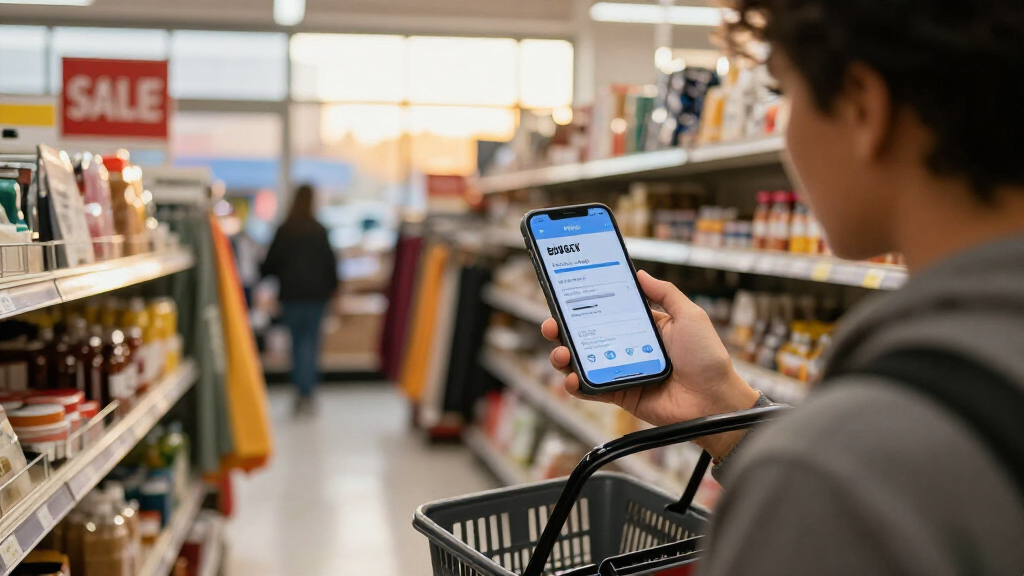
I ranked these options by how well their apparent purpose fits a short, high-spend shopping period: setting a usable limit, recording purchases, organizing spending, and helping shoppers notice when they are nearing their cap. A dedicated Black Friday planner ranks highly for direct seasonal relevance, while general expense managers earn their place through potential usefulness across the rest of the year. Names alone do not confirm specific functions, so I avoid treating implied features as verified capabilities.
I also weighed the likely learning curve and the tradeoff between guidance and control. An app aimed at automated or AI-supported budgeting may appeal to people seeking prompts, while simpler trackers may be easier for shoppers who want to enter purchases themselves. The ranking favors clear use-case fit over breadth alone; shoppers should confirm current app features, platform support, data practices, and any paid requirements before relying on an option for a shopping plan.
| budgeting apps for Black Friday shopping | Product category |
|---|---|
| Smart Budgeting with AI: Save | — |
| Money Manager: Expense Tracker | — |
| Budget Manager | — |
| Expense Tracker 2.0: Personal | — |
| HomeBudgetBook Free | — |
| Expense Manager | Expense and budget management |
| Black Friday Shopping Planner | Black Friday shopping planner and budget tracker |
| Budgeting & Finances | Budgeting and personal finance |
| SpendWise: Smart Expense & Bud | Expense and budget management |
| Budget Manager | Budget management and expense tracking |
| Budget Spending Nest | Budgeting app |
| Smart Budget Reminder | Budgeting app |
| Colorful Budget | Budgeting app |
| Smart Budgeting | Budgeting app |
Factors to Consider When Choosing Budgeting Apps For Black Friday Shopping
Choosing a Black Friday budgeting app is less about finding the longest feature list and more about deciding how you will use it before, during, and after the sales rush. These broader checks can help you avoid picking an app that looks suitable but does not fit your shopping habits.
Decide Whether You Need a Seasonal Planner or a Year-Round Budget
A dedicated shopping planner can make a short-term event easier to organize, especially if you are budgeting across several people or gift recipients. A general budget app may make more sense if you want those purchases to fit into monthly spending categories and remain visible after Black Friday. One common mistake is treating the sale event as a separate pot of money without accounting for rent, bills, travel, or holiday plans. Before choosing, decide whether your main goal is a one-week spending cap or a durable household budget. If you want both, check whether the app lets you create a separate shopping category without disrupting your regular plan. That distinction can matter more than a long list of extra tools.
Check How Quickly You Can Record a Purchase
During a busy shopping weekend, a budget is only useful if updating it feels manageable. Think about whether you will enter purchases manually, import transactions, or use another method supported by the app. Do not assume an app offers automatic bank syncing just because its name mentions expense tracking; confirm that function and its limits before depending on it. Manual entry gives you more direct control but can fall behind when receipts pile up. Automatic imports may reduce effort, though pending transactions, returns, and duplicate records can complicate the total. Choose the approach you are realistically likely to maintain while shopping.
Set a Total Limit That Includes the Costs Around Each Deal
A product’s listed cost is not always the full amount your budget will absorb. Tax, shipping, delivery fees, and add-on purchases can push a planned order beyond its target. Set aside room for these costs before comparing deals, rather than using every dollar of your cap on advertised prices. If you shop for several people, allocate limits by person or category so one purchase does not quietly consume the whole budget. A tracker can show what you entered, but it cannot decide whether the spending plan leaves enough for other obligations. A realistic cap makes the app more useful than a highly detailed plan built on incomplete totals.
Choose Reminders That Help Without Encouraging More Shopping
Alerts can prompt you to check your remaining budget, but frequent notifications may become easy to ignore. Look for a reminder style that supports your plan, such as a check-in before a purchase or a notice when spending reaches a chosen point. Avoid treating deal alerts as budget alerts: one encourages buying, while the other helps you pause. If you are shopping with someone else, agree on who updates the app and who receives reminders to prevent conflicting totals. A simple routine, such as checking your balance before placing an order, may work better than constant prompts. The best reminder system is one you will notice without feeling pushed to spend.
Review Privacy, Device Support, and Ongoing Requirements
Budget records can include sensitive details, so check what information an app collects and whether it asks you to connect financial accounts. If you prefer not to share account access, confirm that manual tracking is available and practical. Check that the app works on the device you will use while shopping, particularly if you plan to coordinate a household budget across different phones. Also review whether key functions require an account, a subscription, or an internet connection. These limits can matter more during a busy shopping period than they do during a casual trial. Make your choice based on the setup you are comfortable maintaining, not only on a feature label.
Frequently Asked Questions
Should I choose a Black Friday-specific planner or a general budgeting app?
Choose a dedicated planner if your main need is organizing one shopping event and setting limits around those purchases. A general budgeting app is a stronger fit if you want Black Friday spending to stay connected to your regular household finances. Before deciding, check whether the dedicated tool can handle your categories and whether the general app makes short-term limits easy to see. You do not need two apps if one can support both your seasonal plan and everyday tracking. The right choice depends on whether event-specific structure or year-round continuity matters more to you.
Can I rely on an app to track every purchase automatically?
Not without confirming how the specific app records transactions and which accounts or payment methods it supports. Some shoppers may need to enter purchases manually, and even automatic imports can take time to appear or require review. Returns, split payments, cash purchases, and pending charges can also make an in-app total differ from what you expect. For a firm Black Friday limit, check the app after major purchases rather than assuming its balance is current. Keep receipts or order confirmations until your spending record matches your completed transactions.
How should I budget for gifts when several people are shopping together?
Agree on one overall limit first, then divide it into clear amounts by person, household, or gift category. Decide who will record each purchase and how often everyone will share updates; otherwise, two shoppers may spend against the same remaining balance without realizing it. Check whether the app supports shared access before building your plan around collaboration. If it does not, a designated person can maintain the central total while others send purchase amounts promptly. Leave room for tax and shipping rather than assigning the entire cap to item prices.
Is a manual expense tracker enough for a short shopping weekend?
It can be enough if you are comfortable entering purchases soon after making them and checking the running total regularly. Manual tracking may suit shoppers who value direct control or do not want to connect financial accounts. The main risk is forgetting an order, especially when shopping across multiple stores or devices. You can reduce that risk by recording the total from each checkout confirmation and reconciling entries at the end of the day. If you know you will not keep up with entries, look for a tool with a tracking method you can use consistently.
What should I check before putting bank or card information into a budgeting app?
Read the app’s current privacy information and confirm what data it requests, why it needs it, and whether account linking is optional. Check the developer’s stated security practices and whether you can use the app through manual entry instead. Review account permissions before connecting a bank or card, and avoid sharing login details outside the app’s documented process. If the information requested feels excessive for a shopping budget, choose a less connected method. Your Black Friday plan can still work with manual records and order confirmations.
Conclusion
Best overall for a focused Black Friday plan: Black Friday Shopping Planner and Budget Tracker is the most directly aligned with the occasion. Best value for year-round use: Money Manager: Expense Tracker and Budget App is a sensible starting point if everyday expense tracking matters as much as seasonal shopping. Best for beginners: a straightforward option such as Budget Manager may suit shoppers who want a simple budgeting approach, though they should check its current setup and functions first. Best premium-style direction: Smart Budgeting with AI is the pick for shoppers drawn to guided or AI-led money management, subject to verifying which features are currently available. For specific needs, choose a general expense tracker if recording purchases is your priority, or the dedicated planner if you want a shopping-first structure. The best fit is the one that makes your spending limit easy to see and realistic to maintain.
Black Friday Picks

Vari ComfortEdge Electric Standing Desk, 60 x 30 in, Black/Slate
As an affiliate, we earn on qualifying purchases.