
A SIM swap scam lets hackers hijack your phone number and access your bank accounts quickly and easily. They often use social engineering or phishing to trick your carrier into transferring your number to a new SIM card. Once they control your phone, they can reset passwords, intercept texts, and drain your bank funds. Staying vigilant and securing your accounts helps prevent this. If you want to understand how to protect yourself, there’s more you should know.

Get smart everyday buys delivered free with Prime
- Fast, free delivery on millions of items
- Prime Video, Amazon Music and more included
- Member-only deals all year
Key Takeaways
- Hackers exploit social engineering to impersonate victims and persuade carriers to transfer the phone number to a new SIM card.
- Once in control, they reset account passwords for banking, email, and social media, gaining access to sensitive information.
- SIM swaps allow hackers to intercept texts and calls, enabling them to bypass two-factor authentication and authorize unauthorized transactions.
- Attackers often use phishing scams to gather personal info needed to convince carriers during the SIM swap process.
- Staying vigilant, verifying identity directly with carriers, and enabling additional security measures can prevent SIM swap thefts.
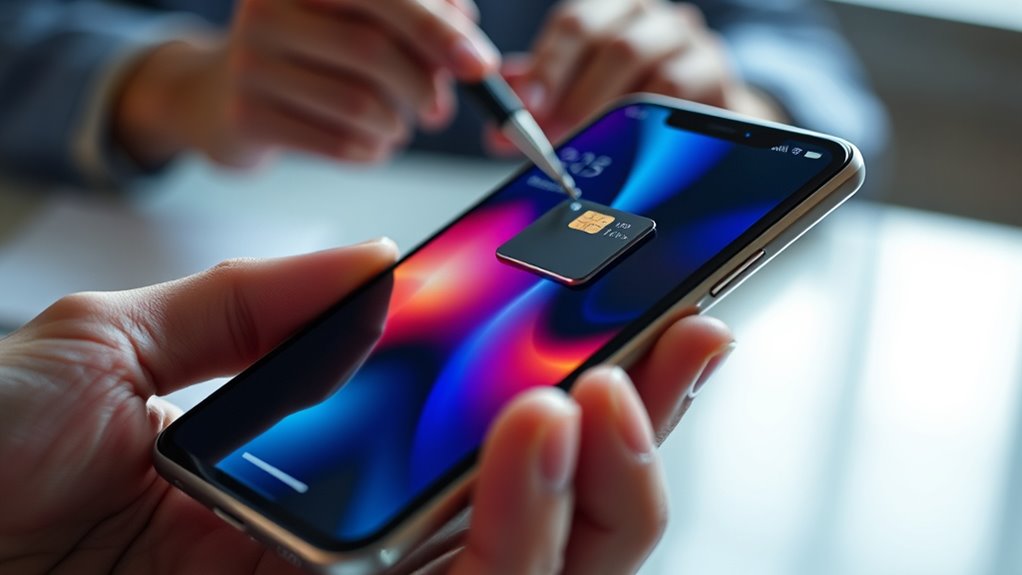
Smartphone SIM swaps have become a common method for hackers to gain access to your personal accounts and sensitive information. When they succeed, it’s often the start of a nightmare involving identity theft and financial loss. Hackers target your phone number because it’s a key to your digital life, including bank accounts, social media, and email. Once they have control of your SIM card, they can intercept texts and calls, making it easier to bypass security measures. This attack is particularly dangerous because it happens quickly, often leaving you unaware until you notice suspicious activity or can’t access your accounts.
Hackers exploit SIM swaps to access personal accounts and steal identities quickly and often undetected.
One way hackers initiate SIM swaps is by exploiting the trust you place in social engineering tactics. They may impersonate you, calling your mobile carrier’s customer service and convincing them that they are you and need to transfer your number to a new SIM card. Sometimes, they use phishing scams to gather personal information like your date of birth, address, or account numbers, which they then provide to the carrier to verify identity. This process can be surprisingly easy if you’re not cautious about sharing sensitive info online or over the phone. Once the transfer is complete, the hacker gains full control over your phone number and can reset passwords or receive two-factor authentication codes.
The consequences of a successful SIM swap can be devastating. With access to your phone number, hackers can reset passwords for your email, bank, and social media accounts. They often use this access to steal your identity, opening credit accounts or making unauthorized transactions. If they have access to your email, they can launch additional phishing scams to trick your contacts or steal more personal info. This cycle can escalate quickly, leading to severe financial and emotional stress. Protecting yourself involves more than just setting a PIN on your mobile account; it requires vigilance and proactive security measures.
Being aware of phishing scams is essential, as hackers often use emails or messages that appear legitimate to trick you into revealing personal details. They might pose as your bank or a trusted company, urging you to click on malicious links or provide confidential information. Never share sensitive info through unsecured channels, and verify identities directly with your service provider. Additionally, consider enabling two-factor authentication on your accounts, which can add an extra layer of security even if your phone number is compromised. Staying informed and cautious can help prevent hackers from pulling off these simple yet effective hacks that could leave you battling identity theft and financial ruin. Furthermore, understanding the importance of color accuracy in your device setup can help ensure you recognize suspicious activity or unauthorized changes to your accounts.
Products Worth Considering

HP OfficeJet 250 Wireless Mobile All-in-One Inkjet Printer

FLEXISPOT Hako Hybrid Mattress, Queen, Medium-Firm

Logitech MX Master 4 for Mac Wireless Ergonomic Mouse, Space Black
As an affiliate, we earn on qualifying purchases.
Frequently Asked Questions
How Can I Tell if My SIM Has Been Swapped?
If you suspect your SIM has been swapped, watch for sudden service issues like losing signal or being unable to make calls. Check if your phone number has been ported without your permission, which can indicate SIM card cloning or unauthorized phone number porting. Contact your carrier immediately to verify recent activity and secure your account. Stay alert to prevent fraud and protect your personal information.
What Are the Signs of SIM Swap Fraud?
You might notice signs of SIM swap fraud if your calls and texts suddenly stop working or your phone shows no service, even with full signal. Your mobile carrier security might alert you about suspicious activity, and you could receive personal account alerts indicating unauthorized access. Keep an eye out for unexpected account changes or login attempts, and contact your provider immediately if you suspect a SIM swap to protect your personal information.
Can SIM Swaps Affect My Social Media Accounts?
In the days of yore, a SIM swap can definitely affect your social media accounts. Once hackers gain access, they could hijack your profiles, post malicious content, or even lock you out. To protect your social media security, enable two-factor authentication and keep your account recovery options updated. Stay vigilant—if your SIM is swapped, act quickly to secure your accounts before any harm’s done.
Are Certain Phones More Vulnerable to SIM Swapping?
Certain phones can be more vulnerable to SIM swapping due to carrier vulnerabilities and device security. If your carrier’s systems lack robust authentication, hackers can exploit these weaknesses more easily. Additionally, older or less secure devices may have outdated software that’s easier to compromise. To protect yourself, choose devices with strong security features and stay updated, as these measures help minimize the risk of falling prey to SIM swap scams.
How Do Scammers Gain Access to My Personal Info?
It’s easy to think your personal info is safe, but scammers often exploit coincidences. They gain access through methods like SIM cloning or exploiting weak phone encryption, which can happen if your device isn’t properly secured. Sometimes, they trick customer service or hack through social engineering, making it seem like a coincidence. Protect yourself by updating your phone’s security, using strong passwords, and being cautious with your personal details.
Conclusion
So, next time you’re tempted to leave your phone unattended or ignore those pesky security alerts, remember this little hack. With a SIM swap, a clever thief can empty your bank account faster than you can say “two-factor authentication.” Maybe it’s time to stop trusting your shiny new device and start taking security seriously—because apparently, your bank account isn’t as safe as you thought. Stay vigilant, or your wallet might just become someone else’s new best friend.