
When choosing a secure smartphone for work, prioritize data encryption and app permission controls first. Make certain the device supports strong, default encryption to protect sensitive information from cyber threats. Regularly review app permissions to prevent unnecessary data access and vulnerabilities. Keeping your device updated and managing security settings actively strengthen your defenses. If you explore further, you’ll discover essential tips on maintaining ongoing security practices that keep your device safe over time.

Get smart everyday buys delivered free with Prime
- Fast, free delivery on millions of items
- Prime Video, Amazon Music and more included
- Member-only deals all year
Key Takeaways
- Ensure default device encryption is activated to protect data from unauthorized access.
- Verify that the smartphone supports robust encryption protocols aligned with security standards.
- Prioritize strong app permission controls to limit unnecessary data access and reduce vulnerabilities.
- Regularly update device software to patch security flaws and maintain protection.
- Implement ongoing security practices, including permission reviews and adherence to privacy regulations.
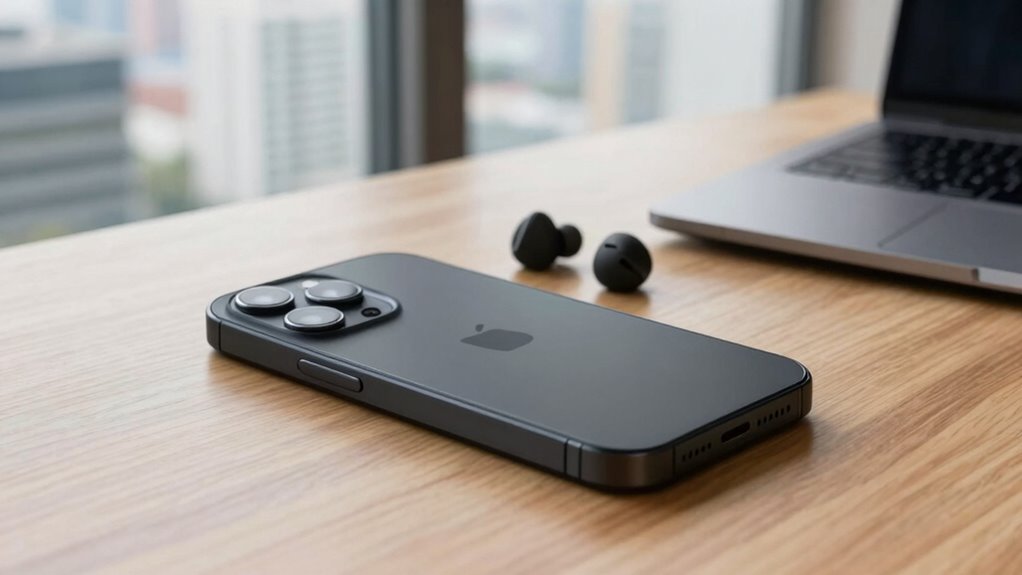
Have you ever considered how vulnerable your work smartphone might be to cyber threats? In today’s digital landscape, safeguarding sensitive work data isn’t just a nice-to-have—it’s vital. When choosing a secure smartphone for work, your first priorities should focus on key security features like data encryption and app permissions. These elements act as the first line of defense against cyberattacks and data breaches, helping you protect confidential information from falling into the wrong hands.
Data encryption is fundamental. It guarantees that any data stored on your device or transmitted over networks remains unreadable to unauthorized users. Even if someone manages to access your device or intercept your communications, encrypted data remains protected. Look for phones that support hardware-based encryption and offer robust encryption protocols. Many modern smartphones come with built-in encryption features, but it’s essential to verify that they’re enabled by default and can’t be easily disabled. By prioritizing devices with strong data encryption, you minimize the risk of sensitive business information being compromised during theft, loss, or cyberattacks. Additionally, understanding encryption protocols can help you assess a device’s overall security effectiveness. Ensuring your device adheres to recognized security standards can further bolster your defenses.
Strong data encryption protects your device’s information from unauthorized access and cyber threats.
Another vital aspect is managing app permissions. When you download applications, they often request access to various device functions—contacts, camera, microphone, location, and more. Excessive or unnecessary app permissions can open up vulnerabilities, allowing malicious apps or even legitimate ones to access data you didn’t intend to share. A secure work smartphone should give you fine-grained control over app permissions, enabling you to restrict access to only what’s necessary for the app’s core function. This way, you prevent apps from collecting or transmitting data that could be exploited later. Regularly reviewing and adjusting permissions can further strengthen your device’s security, especially after updates or when installing new apps. Moreover, understanding how data privacy regulations influence device security can help ensure compliance and protect your organization from legal repercussions. Staying informed about security best practices can help you adapt your device management strategies to emerging threats effectively. Employing security updates promptly is also crucial to patch vulnerabilities and maintain your device’s integrity.
Being aware of vulnerabilities and actively managing your device settings can significantly reduce the risk of security breaches. Prioritizing these features means you’re actively reducing your attack surface. Devices with strong data encryption and flexible permission controls not only protect your company’s proprietary information but also help maintain compliance with data privacy regulations. Remember, security isn’t a one-time setup; it’s an ongoing process. Regularly updating your device’s software, reviewing permissions, and guaranteeing encryption remains active are habits that keep your work smartphone resilient against evolving threats. By focusing on these initial priorities—encryption and permissions—you create a secure foundation that safeguards your work data and maintains your organization’s trust. Ultimately, a smartphone built with these protections in mind empowers you to work confidently, knowing your sensitive information stays private and secure.
Products Worth Considering

Logitech MX Keys Combo for Business Keyboard and Mouse – Graphite

Apple MacBook Air 13-inch Laptop with M5 Chip, 16GB Memory, 512GB SSD, Liquid Retina Display, and Touch ID – Midnight

FLEXISPOT 36-Inch Standing Desk Converter, Black
As an affiliate, we earn on qualifying purchases.
Frequently Asked Questions
How Long Does a Secure Smartphone’s Battery Last During Heavy Use?
During heavy usage, a secure smartphone’s battery typically lasts around 4 to 8 hours. Battery longevity depends on factors like screen brightness, app activity, and security features running in the background. To maximize battery life, you should optimize settings, disable unnecessary features, and keep the device updated. Be mindful that intense tasks like video calls or data transfers will drain the battery faster, so plan accordingly for your work needs.
Can Secure Smartphones Run All Standard Work Applications Seamlessly?
Yes, secure smartphones can run all standard work applications seamlessly, but it depends on app compatibility. You should check if the device supports your essential apps and offers a smooth user experience. Prioritize a secure smartphone with a robust processor, ample RAM, and an optimized operating system. This guarantees your apps perform well without lag, maintaining productivity and security while meeting your work needs efficiently.
Are Secure Smartphones Compatible With Existing Company IT Infrastructure?
Secure smartphones are generally compatible with your existing IT infrastructure, but you need to guarantee smooth IT integration through compatibility testing. You should verify that security features, management tools, and network protocols align with your company’s systems. Conduct thorough compatibility testing to identify any issues beforehand. This proactive approach guarantees seamless integration, minimizes disruptions, and ensures your secure smartphone works effectively within your current infrastructure.
What Are the Cost Differences Between Secure and Regular Smartphones?
The cost comparison between secure and regular smartphones shows that secure devices typically come with a higher price variation due to added security features, specialized hardware, and management tools. You’ll notice the price difference is often significant, reflecting the enhanced protection they provide. While regular smartphones are cheaper upfront, investing in a secure device can save costs related to data breaches and security incidents in the long run.
How Often Do Secure Smartphones Require Security Updates or Patches?
You should stay ahead of the game, as secure smartphones typically require security updates or patches every few weeks to months. The security update frequency depends on the device and its patch management schedule, ensuring vulnerabilities are addressed promptly. Regular updates are essential to protect sensitive work data, so prioritize devices that offer efficient, timely patch management to prevent potential breaches before they happen.
Conclusion
Choosing a secure smartphone for work isn’t just about avoiding trouble; it’s about protecting your peace of mind and the trust others place in you. Prioritize features that shield your data and keep your professional relationships intact. Remember, the right device gently safeguards your daily efforts, allowing you to focus on what truly matters. With the right choice, you’re quietly ensuring a smoother, more confident journey through your busy work life.