
A personal recordkeeping system should organize essential documents like IDs, financial, tax, and healthcare papers, with clear categorization and a detailed inventory. You’ll want strong digital security measures, such as unique passwords, two-factor authentication, and encryption, along with regular backups. Protect physical copies with fireproof safes, store originals securely, and update your system periodically. Keeping everything current and protected guarantees your important records stay safe and accessible—if you want to learn more, keep exploring these key strategies.

Get smart everyday buys delivered free with Prime
- Fast, free delivery on millions of items
- Prime Video, Amazon Music and more included
- Member-only deals all year
Key Takeaways
- Organized categories for different types of personal, financial, and legal documents.
- Secure storage solutions, such as fireproof safes and encrypted digital backups.
- Consistent review, updating, and disposal of outdated records.
- Strong digital security practices, including passwords and two-factor authentication.
- Clear inventory with locations, importance, and access instructions for all records.

Have you ever struggled to find important documents or track your financial information quickly? If so, establishing a solid personal recordkeeping system can make a huge difference. A good system isn’t just about storing papers; it’s about creating an organized, secure way to access your critical data efficiently. To do this effectively, your system should include several essential components that guarantee your information is both easy to find and protected.
First, consider what types of records you need to keep. These typically include personal identification documents, banking and financial statements, tax records, insurance policies, healthcare information, and estate planning documents. Organizing these categories systematically allows you to locate what you need without digging through piles of papers or digital files. For digital records, vetted security measures such as strong passwords and two-factor authentication can significantly reduce the risk of unauthorized access. Digital security becomes especially important here—your sensitive information needs to be protected from theft, loss, or damage. Use strong, unique passwords and enable two-factor authentication for online accounts. Regularly back up your digital files to a secure cloud service or external drive, so you don’t lose everything if your device fails or is compromised. Incorporating digital security best practices can further protect your sensitive data from potential threats. Additionally, consider using encryption tools to safeguard especially confidential or valuable digital files, adding an extra layer of security. Furthermore, staying informed about security threats related to personal data can help you adapt your protections over time.
Organize essential documents securely with strong passwords, two-factor authentication, and regular backups to protect your vital information.
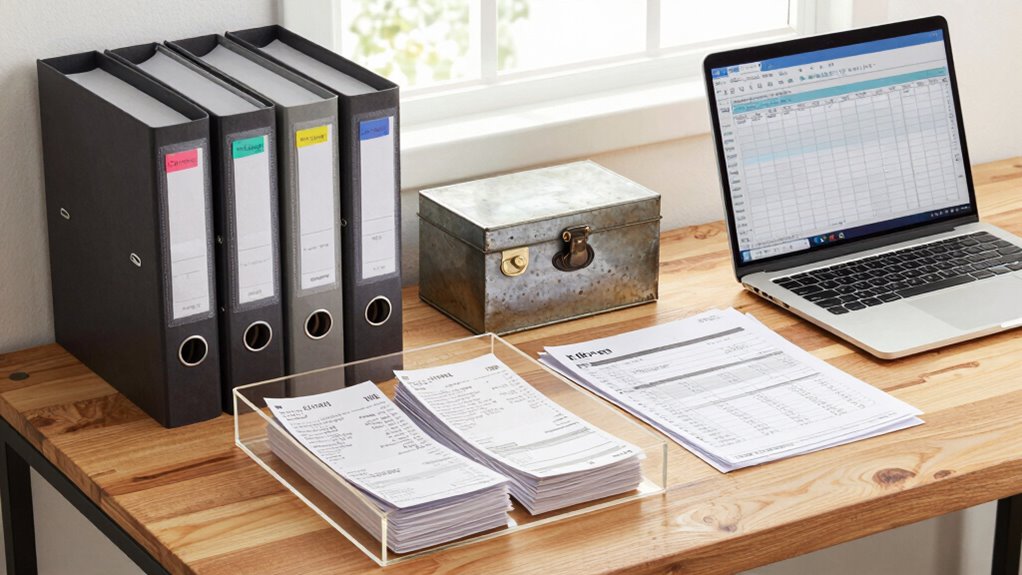
Your personal recordkeeping system should also include a routine for maintaining and updating records. Set aside regular intervals—monthly or quarterly—to review and add new documents, discard outdated ones, and verify that your backups are current. This ongoing process prevents clutter and ensures your system remains reliable. To keep your records organized, create a comprehensive inventory that details each document’s location and significance, which can be invaluable during emergencies or audits. Additionally, consider incorporating a secure, physical location for important paper documents, like a fireproof safe or lockbox, especially for originals that are difficult or costly to replace.
Finally, educate yourself about digital security best practices. Stay informed about emerging threats and update your security measures accordingly. Use encryption tools when storing sensitive digital files and be cautious about sharing personal information online. With a well-structured system that prioritizes data organization and digital security, you’ll find managing your personal records becomes less of a chore and more of a safeguard for your financial and personal well-being.
fireproof safe for important documents
As an affiliate, we earn on qualifying purchases.
As an affiliate, we earn on qualifying purchases.
Frequently Asked Questions
How Often Should I Review and Update My Records?
You should review and update your records at least quarterly, establishing a consistent review schedule. This record frequency helps guarantee your information remains accurate and current, making it easier to track finances, appointments, or important documents. Set reminders on your calendar to check your records regularly. Adjust the review schedule if needed, especially during significant life changes or tax seasons, to stay organized and prepared at all times.
What Digital Tools Are Best for Personal Recordkeeping?
You should consider using digital tools like cloud storage services such as Google Drive or Dropbox for secure, accessible recordkeeping. These platforms often offer app integrations, enabling seamless syncing with calendars, email, and other apps. This makes it easier for you to organize, update, and access your records anytime, anywhere. Prioritize tools that are user-friendly and guarantee your data stays protected with encryption and regular backups.
How Do I Keep Sensitive Information Secure?
Think of your sensitive info as a treasure chest—guard it well. To keep it secure, use strong encryption methods to scramble data and prevent unauthorized access. Implement access control by setting up passwords, multi-factor authentication, and limiting entry to trusted devices. Regularly update your security measures, just like you’d reinforce a vault. This way, your personal records stay safe and your peace of mind remains intact.
What Should I Do if I Lose Important Records?
If you lose important records, act quickly by reconstructing them through document organization and gathering any remaining copies. Use backup strategies to restore lost data from secure copies stored elsewhere, like cloud services or external drives. Review your system to identify gaps and improve your backup plan. Keeping your records organized guarantees easier recovery, and regular backups help prevent future data loss, giving you peace of mind.
How Long Should I Keep Different Types of Records?
Think of your records as treasure chests—some need guarding longer than others. For tax documents, keep them at least seven years to guarantee record retention; for receipts, a year usually suffices. W-2s and investment statements should be kept for at least three years. Organize documents clearly, label folders, and regularly review to discard outdated records. Proper document organization and record retention ensure your financial ship stays steady through any storm.
As an affiliate, we earn on qualifying purchases.
Conclusion
Think of your personal recordkeeping system as a sturdy lighthouse guiding you through life’s storms. When you keep your records clear and organized, you’re steering with a steady light, preventing you from losing your way. Just like a lighthouse warns ships of danger ahead, your system safeguards your financial and personal well-being. Maintain it diligently, and you’ll always find your way back to safety, no matter how turbulent the seas of life may become.
personal document organizer folder
As an affiliate, we earn on qualifying purchases.
As an affiliate, we earn on qualifying purchases.
secure password manager software
As an affiliate, we earn on qualifying purchases.
As an affiliate, we earn on qualifying purchases.
Fall Picks
fall essentials
As an affiliate, we earn on qualifying purchases.