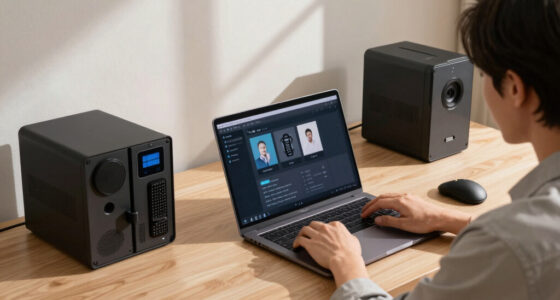

📊 Full opportunity report: How to Reduce Heat and Noise in a High-Power AI Workstation on ThorstenMeyerAI.com — validation score, market gap, and execution plan.

Get smart everyday buys delivered free with Prime
- Fast, free delivery on millions of items
- Prime Video, Amazon Music and more included
- Member-only deals all year
TL;DR
High-power AI workstations generate significant heat and noise due to continuous GPU load. Effective solutions include undervolting GPUs, optimizing airflow, and selecting suitable cooling systems. This guide explains proven methods to improve workstation quietness and thermal management.
High-power AI workstations produce substantial heat and noise during sustained workloads, often turning quiet offices into noisy server-like environments. Experts confirm that targeted cooling strategies and power management can significantly mitigate these issues, improving both performance and comfort.
AI workstations, unlike gaming PCs, run GPUs at or near full load continuously during inference tasks, leading to persistent heat and loud fan noise. The primary source of heat is the GPU, which can account for over 70% of thermal output, with fans running at high speeds to dissipate this heat. CPU and power supply components also contribute, especially under heavy workloads.
One of the most effective and cost-free measures is undervolting the GPU and capping its power limit. This reduces heat generation without sacrificing performance in memory-bound inference tasks, where efficiency gains are most noticeable. Proper case airflow is equally critical; poor ventilation recirculates heat, forcing fans to work harder and increasing noise. Additional solutions include selecting quieter cooling components, optimizing fan curves, and addressing coil whine and vibration.
An AI workstation isn’t a gaming PC —
and that’s why it runs hot.
Local inference is a sustained load: the GPU sits near full power for hours with no loading screens, so the heat never dissipates and the fans never get a break. Here’s where the heat comes from — and the five levers that reduce it.
Impact of Effective Cooling on AI Workstation Performance
Implementing these cooling and power management techniques can dramatically reduce noise levels and improve thermal stability, enabling longer, more reliable operation. For professionals running continuous inference workloads, these measures translate into quieter work environments, lower energy costs, and potentially extended hardware lifespan.
As an affiliate, we earn on qualifying purchases.
Understanding Heat Sources in AI Workstations
Unlike gaming PCs, AI workstations operate under sustained loads, often for hours, without the typical load spikes. This continuous demand keeps GPUs at high utilization, generating more heat and noise. Historically, cooling solutions optimized for gaming are insufficient for these workloads, leading to throttling and excessive fan noise. Recent guidance emphasizes undervolting GPUs and improving airflow as practical solutions, supported by industry expert recommendations.
“Reducing power limits and undervolting are among the most effective ways to lower heat and noise without sacrificing inference performance.”
— Thorsten Meyer, AI hardware expert
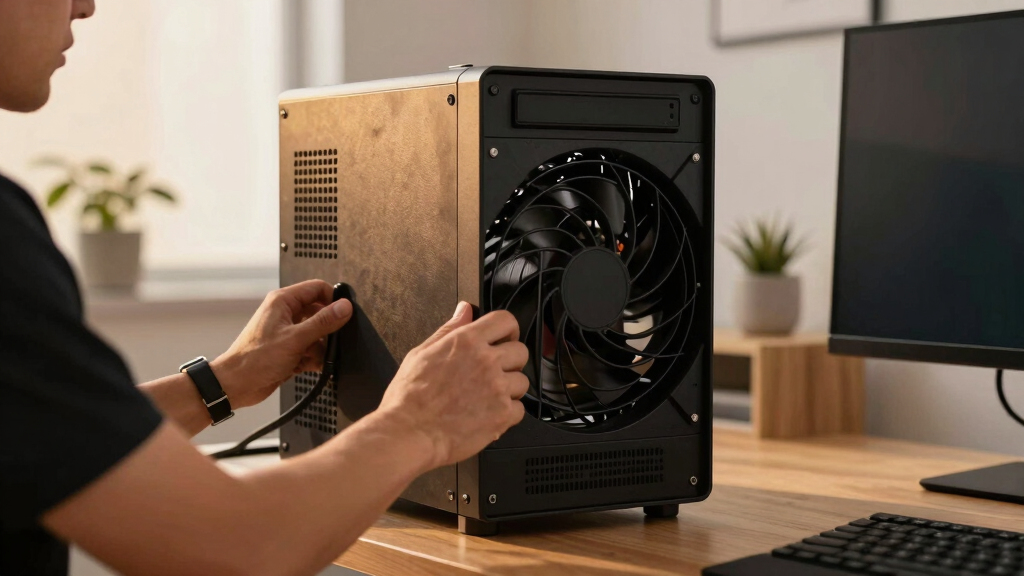
high-performance workstation cooling system
As an affiliate, we earn on qualifying purchases.
As an affiliate, we earn on qualifying purchases.
Uncertainties in Long-Term Cooling Effectiveness
While undervolting and airflow improvements are proven to reduce heat and noise, the long-term effects on hardware longevity and performance under different workloads remain less documented. The optimal cooling configurations may vary depending on specific hardware models and ambient conditions, and ongoing testing is needed to refine these recommendations.
As an affiliate, we earn on qualifying purchases.
Next Steps for AI Workstation Cooling Optimization
Developers and users should experiment with GPU power caps and undervolting settings, monitor thermal and acoustic performance, and consider case upgrades or custom cooling solutions. Future updates may include more advanced liquid cooling options and AI-driven fan control systems to further enhance quiet operation during continuous workloads.
As an affiliate, we earn on qualifying purchases.
Key Questions
Can undervolting GPU affect inference performance?
In most memory-bound inference workloads, undervolting reduces heat and noise without impacting performance significantly. However, for compute-bound tasks, some performance loss may occur if power limits are set too low. Testing individual configurations is recommended.
What are the best cooling options for high-power AI workstations?
High-quality air coolers with optimized case airflow are effective and cost-efficient. For even quieter operation, liquid cooling solutions and custom case modifications can provide superior thermal management, but they may involve higher costs and complexity.
How much can undervolting reduce GPU temperature and noise?
Undervolting can typically lower GPU temperatures by 10-20°C and reduce fan noise by 30-50%, depending on the hardware and workload. Exact results vary, so testing and monitoring are advised.
Are there risks associated with undervolting or modifying cooling systems?
Improper undervolting or cooling modifications can cause system instability or hardware damage if not done carefully. Users should follow manufacturer guidelines and perform stability testing after adjustments.
Source: ThorstenMeyerAI.com
Fall Picks
fall essentials
As an affiliate, we earn on qualifying purchases.