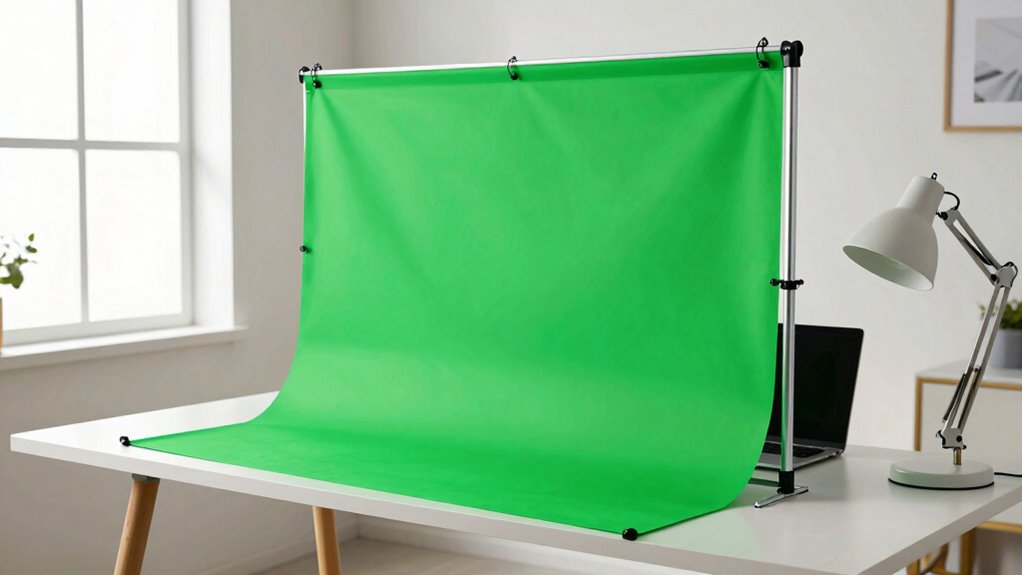

A green screen kit can be a useful tool if you frequently need professional-looking backgrounds for video calls or content creation, helping you project a polished image and hide clutter. It’s worth the investment if you want consistent quality and a distraction-free environment. However, for casual users, virtual backgrounds or simple room setups might be enough. If you want to learn when a green screen is most beneficial, keep exploring the essentials.
Key Takeaways
- Green screens enhance professional appearance and background customization for content creators and remote workers.
- Proper setup and lighting are essential for a polished, glitch-free background.
- Cost varies; beneficial for frequent use but may be unnecessary for casual or infrequent needs.
- Virtual backgrounds and advanced software reduce the need for physical green screens.
- Most valuable when consistent, high-quality backgrounds are needed to maintain a professional image.
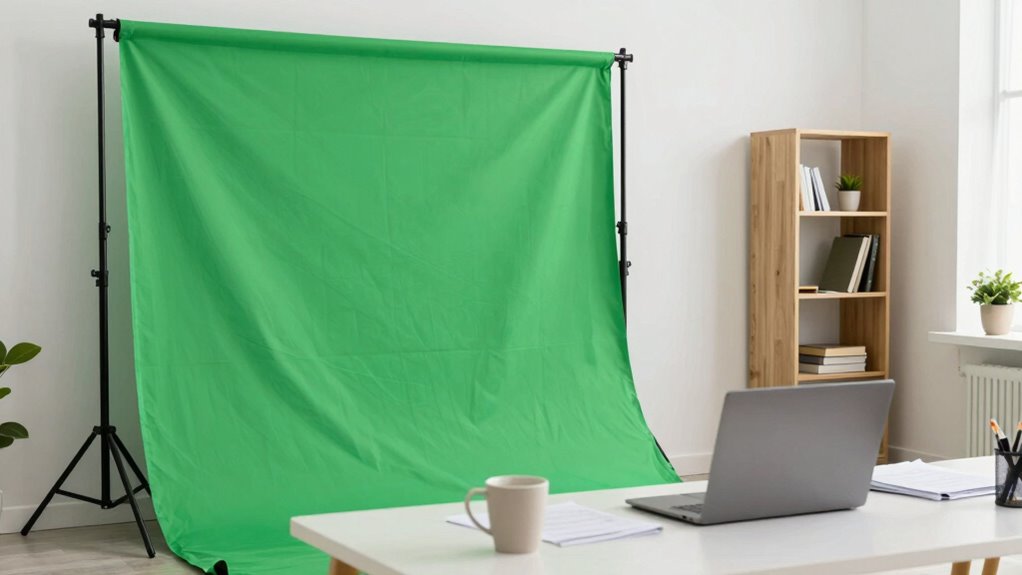
Setting up a green screen kit for your home office can dramatically enhance your video calls and content creation. Whether you’re working remotely, streaming, or recording videos, a green screen allows you to transform your background instantly. Instead of showing a cluttered or boring space, you can project a professional, fun, or themed environment suitable for your audience or purpose. This capability to customize backgrounds offers a level of flexibility that simple room decor can’t match, making your setup more engaging and eye-catching. When it comes to video conferencing, background customization becomes particularly valuable. You avoid distractions and present a polished, intentional image, which can boost your credibility and confidence during meetings. Instead of worrying about messy rooms or unprofessional setups, you control what your viewers see, creating a distraction-free environment that keeps the focus on you. Proper lighting and setup are essential to avoid glitches and poor image quality, especially when using a green screen, which highlights the importance of background customization in professional video presentations. Many people wonder if a green screen kit is an unnecessary extra or a genuinely useful tool. The truth depends on your goals. If you’re someone who frequently participates in video conferencing or creates content online, investing in a green screen can be a game-changer. It simplifies the process of background customization, allowing you to swap out scenes with just a few clicks. This can be especially helpful if you often switch between different types of content or need to maintain a consistent professional appearance without extensive room renovations. Additionally, a green screen can help hide unwanted clutter or personal items, preserving your privacy while still appearing polished on camera. This feature alone makes it a practical investment for many remote workers and content creators. The cost of a green screen kit can vary significantly, so it’s worth considering your budget and specific needs before purchasing. However, if your video calls are infrequent or casual, a green screen might feel like an unnecessary expense. You can achieve decent background effects with virtual backgrounds or simple room arrangements, which don’t require additional equipment. Moreover, advancements in virtual background technology have made background removal more seamless and accessible, reducing the need for physical green screens in some cases. It’s also worth noting that lighting plays a crucial role in the success of your green screen setup, as poor lighting can lead to distracting glitches or uneven backgrounds. Properly installed and lit green screens can produce a professional, clean look, making the investment worthwhile. Poorly lit or improperly installed green screens can result in awkward glitches or poor image quality, which defeats the purpose of adding a professional touch. For casual use, many find that virtual backgrounds or natural room backgrounds suffice. Ultimately, a green screen kit becomes a useful tool when you need consistent, high-quality background customization that elevates your video presence, but it’s less essential if you only occasionally hop onto video calls.

EMART Green Screen Backdrop Kit with Reverse Folding Base, 5×6.5ft Photo Greenscreen Background with Portable T-Shape Stand and 6 Clamps for Photography, Photoshoot, Studio Video Recording, Streaming
Reverse Folding Stand: Highly portable, comes with a carry bag for easy transport. Larger unfolding area, better stability…
As an affiliate, we earn on qualifying purchases.
As an affiliate, we earn on qualifying purchases.
Frequently Asked Questions
Can a Green Screen Improve Video Call Professionalism?
Yes, a green screen can improve your video call professionalism by offering seamless virtual backgrounds, making your setup look cleaner and more polished. You don’t need much technical expertise to set it up, especially with user-friendly kits. It helps eliminate distractions and creates a consistent, professional appearance, especially for remote work or presentations. Overall, it’s a valuable tool that enhances your image without much hassle.
What Is the Cost Range for a Basic Green Screen Kit?
A basic green screen kit can cost you anywhere from $30 to $80, but don’t rush—consider your needs carefully. Budget options often use lightweight, less durable materials that might tear or crease easily, affecting your setup. Higher-end kits offer sturdier fabrics and better portability. Think about how often you’ll use it and the quality you desire; sometimes, investing a bit more guarantees long-term satisfaction.
How Easy Is It to Set up a Green Screen at Home?
Setting up a green screen at home is fairly easy if you follow a few steps. You’ll want to position your camera correctly to avoid shadows and uneven lighting, which can affect background customization. Mount the green screen securely, guarantee even lighting, and adjust your camera placement for the best effect. With some patience, you’ll be able to create professional-looking backgrounds right from your home office.
Do Green Screens Require Special Lighting for Best Results?
Did you know that proper lighting can improve green screen keying accuracy by up to 30%? Yes, green screens do require special lighting for the best results. You need consistent, diffuse light to minimize shadows and color inconsistencies, ensuring better color accuracy. Light diffusion helps create an even background, making it easier to replace the green with your desired image or video seamlessly. Proper lighting is essential for professional-looking results.
Are Green Screens Suitable for Live Streaming or Only Recorded Videos?
Green screens are great for both live streaming and recorded videos, allowing you to use virtual backgrounds seamlessly. You can switch scenes instantly, making your streams more engaging. Just be mindful that poor lighting or shaky setups might cause motion sickness or visual distractions for viewers. Proper setup and stable camera work make sure your green screen enhances your stream without causing discomfort, creating a professional and smooth experience for your audience.

【Wider Style】 RAUBAY 78.7 x 82.7in Large Collapsible Green Screen Backdrop Portable Retractable Chroma Key Panel Photo Background with Stand for Video Conference, Photographic Studio, Streaming
✅【Larger Size】 Our professional chroma key green screen is easy to contain two people with its large size…
As an affiliate, we earn on qualifying purchases.
As an affiliate, we earn on qualifying purchases.
Conclusion
A green screen kit can be your window to endless possibilities, transforming your home office into a portal to new worlds. It’s more than just a tool; it’s a symbol of your creativity and adaptability. Whether you see it as a luxury or a necessity, remember that your workspace reflects your ambitions. Embrace this simple addition and let it be the canvas where your professional story unfolds—painting your journey with imagination and purpose.
EMART Green Screen Backdrop Kit with Reverse Folding Base, 5×6.5ft Photo Greenscreen Background with Portable T-Shape Stand and 6 Clamps for Photography, Photoshoot, Studio Video Recording, Streaming
Reverse Folding Stand: Highly portable, comes with a carry bag for easy transport. Larger unfolding area, better stability…
As an affiliate, we earn on qualifying purchases.
As an affiliate, we earn on qualifying purchases.

RAUBAY Retractable Pull Down Green Screen – 59.8" x 86.6" Collapsible Wall-Mount Background for Professional Video Production, Chroma Key Backdrop for YouTube, TikTok, Streaming, Video Conferencing
💚【Screen Size】Our retractable drop-down green screen measures 59.8"(W) x 86.6"(H), providing professional color for capturing content.
As an affiliate, we earn on qualifying purchases.
As an affiliate, we earn on qualifying purchases.