Choosing a budgeting spreadsheet comes down to whether you want a file to start using or guidance for building a system yourself. Personal Budget Spreadsheet is my most direct pick for shoppers seeking a ready-made digital template for Google Sheets or Excel. For hands-on learning, Budgeting Spreadsheets Made Simple focuses on spending, saving, and organization, while Mastering Excel for Home Budgeting stands out for readers who want Excel and LibreOffice Calc instruction, including formulas and more advanced methods.

Get smart everyday buys delivered free with Prime
- Fast, free delivery on millions of items
- Prime Video, Amazon Music and more included
- Member-only deals all year
Those options serve different needs: a template can shorten setup, but offers less learning by itself; a beginner guide can make the basics easier to follow, but still asks you to build the spreadsheet. I also include a broader personal finance workbook for people who want cash-flow and debt-payoff planning, plus a focused Excel resource for newcomers. I ranked the five by how directly each supports a usable personal budget, how much it asks the buyer to create or configure, and how clearly its stated scope matches a particular kind of user. Product details are limited for some entries, so I distinguish confirmed information from what is not specified.
Key Takeaways
- Choose Personal Budget Spreadsheet if you want a digital budgeting template compatible with Google Sheets and Microsoft Excel rather than a guide to building one.
- Mastering Excel for Home Budgeting is the strongest fit for spreadsheet learners who need Excel and LibreOffice Calc coverage, expense tracking, formulas, and advanced topics.
- Budgeting Spreadsheets Made Simple centers on spending tracking, saving, and organization, but the available details do not specify its templates or spreadsheet compatibility.
- Excel for Budgeting (Budgeting for Beginners) is positioned for newcomers, though the provided description does not confirm particular lessons, files, or software versions.
- Personal Finance Workbook adds cash-flow, financial statement, and debt-payoff planning, making it broader than a basic monthly budget but less clearly a spreadsheet-specific resource.
| Personal Budget Spreadsheet: Digital Template for Google Sheets and Microsoft Excel |  | Best Overall — ready-to-use digital budgeting template | Format: Digital template | Compatible software: Google Sheets and Microsoft Excel | Stated purpose: Personal budgeting | VIEW LATEST PRICE | See Our Full Breakdown |
| Mastering Excel for Home Budgeting: A Practical Guide to Creating a Home Budget with Excel and LibreOffice Calc |  | Best for Spreadsheet Learners — broad Excel and Calc instruction | Format: Practical guide | Software: Microsoft Excel and LibreOffice Calc | Stated focus: Creating a home budget | VIEW LATEST PRICE | See Our Full Breakdown |
| Budgeting Spreadsheets Made Simple: Create Easy-to-Use Spreadsheets for Tracking Spending, Saving Money, and Staying Organized |  | Best for Everyday Organization — spending and savings fundamentals | Format: Guide to creating budgeting spreadsheets | Main focus: Easy-to-use spreadsheets | Expense topic: Tracking spending | VIEW LATEST PRICE | See Our Full Breakdown |
| Personal Finance Workbook: Cash Flow, Budgeting & Wealth Planner |  | Best for Broader Financial Planning — budget plus cash flow and debt goals | Format: Workbook; specific format not stated | Planning areas: Cash flow, budgeting, and wealth planning | Tracking: Expenses and financial statements | VIEW LATEST PRICE | See Our Full Breakdown |
| Excel for Budgeting (Budgeting for Beginners) |  | Best for Excel Beginners — a focused starting point | Format: Beginner-focused resource | Software focus: Excel | Main subject: Budgeting | VIEW LATEST PRICE | See Our Full Breakdown |
| budgeting spreadsheets for personal finance | Format |
|---|---|
| Personal Budget Spreadsheet: D | Digital template |
| Mastering Excel for Home Budge | Practical guide |
| Budgeting Spreadsheets Made Si | Guide to creating budgeting spreadsheets |
| Personal Finance Workbook: Cas | Workbook; specific format not stated |
| Excel for Budgeting | Beginner-focused resource |
More Details on Our Top Picks
Personal Budget Spreadsheet: Digital Template for Google Sheets and Microsoft Excel
I rank this first because it is the clearest match for someone searching for a budgeting spreadsheet rather than a book about making one. The listing identifies it as a digital template compatible with Google Sheets and Microsoft Excel, giving buyers two familiar routes for opening and maintaining a personal budget. Compared with the guides in this roundup, its main appeal is a shorter path from purchase to entering budget information: it is presented as a template, not solely as instruction.
That convenience has a boundary. The available description does not list its categories, formulas, visual layout, instructions, or whether it handles recurring expenses and savings goals. I would not assume it includes specialized tools simply because it is called a personal budget spreadsheet. Compared with Budgeting Spreadsheets Made Simple, it is the more direct option for a ready-made starting point; the guide may be a better fit for a buyer who wants to learn how to design a spreadsheet around their own habits.
The software requirement is explicit: buyers need access to Google Sheets or Excel. That is a modest hurdle for many spreadsheet users, but it rules out anyone who wants a paper-first workbook or a budgeting app that automatically imports transactions. I place this template ahead of the instructional books because its format directly meets the request for a spreadsheet. Its limited published detail also keeps the recommendation measured: this is a practical starting choice, not a confirmed all-in-one finance system.
Pros:- Provided as a digital template rather than only a budgeting lesson.
- Compatible with Google Sheets and Microsoft Excel.
- A direct fit for organizing a personal budget in spreadsheet software.
- Requires less spreadsheet construction than a guide focused on creating a budget from scratch.
Cons:- Requires access to compatible spreadsheet software.
- Available information does not specify included categories, formulas, or layouts.
- Does not establish whether it covers debt payoff, cash flow forecasting, or guided instruction.
Best for: Someone who wants a digital personal budget template and already uses Google Sheets or Microsoft Excel.
Not ideal for: A buyer who wants a printed workbook, automatic bank syncing, or verified detail about built-in formulas and category options before choosing.
- Format:Digital template
- Compatible software:Google Sheets and Microsoft Excel
- Stated purpose:Personal budgeting
- Spreadsheet construction lessons:Not specified
- Template categories:Not specified
- Formula details:Not specified
- Software access:Required
Our verdict“I recommend this as the most direct spreadsheet choice, provided you are comfortable using Excel or Google Sheets and accept that the listed template details are limited.”
Mastering Excel for Home Budgeting: A Practical Guide to Creating a Home Budget with Excel and LibreOffice Calc
This is my strongest instructional pick for readers who want to understand how a home budget spreadsheet works, not just fill in a prebuilt file. It explicitly covers Microsoft Excel and LibreOffice Calc, alongside personal finance, expense tracking, formulas, VBA, and advanced techniques. That span makes it more technically ambitious than Excel for Budgeting (Budgeting for Beginners), whose supplied description establishes a beginner focus but gives no comparable topic list.
The dual-software coverage is useful for buyers who do not want their budgeting method tied to Excel alone. Its emphasis on formulas and advanced methods may also help a spreadsheet user adapt calculations instead of relying on a fixed template. Compared with the top-ranked digital template, however, this is a learning route rather than a confirmed ready-to-fill budgeting file. A buyer who wants to record transactions immediately with minimal setup may find the template more convenient.
The tradeoff is scope and uncertainty about how that scope is delivered. VBA and advanced techniques can be useful for people who enjoy customizing spreadsheets, but they may be unnecessary for someone who only needs a monthly income-and-expense plan. The supplied information does not state the book’s length, sample templates, downloadable files, or step-by-step lesson structure. I rank it second because its described coverage is the richest for building spreadsheet skills, while its buyer must be prepared to apply those lessons rather than count on a supplied template.
Pros:- Covers both Microsoft Excel and LibreOffice Calc.
- Includes personal finance and expense-tracking topics.
- Addresses formulas as well as VBA and advanced budgeting methods.
- Offers a broader technical scope than the explicitly beginner-focused Excel resource.
Cons:- The available details do not specify book length or lesson format.
- No specific budgeting templates or downloadable files are confirmed.
- Advanced topics may be more than a simple monthly budget requires.
Best for: A spreadsheet user who wants to build or customize a home budget in Excel or LibreOffice Calc and learn formulas alongside expense tracking.
Not ideal for: Someone who wants a ready-made template, has no interest in spreadsheet learning, or needs confirmed information about included downloadable files.
- Format:Practical guide
- Software:Microsoft Excel and LibreOffice Calc
- Stated focus:Creating a home budget
- Finance topics:Personal finance and expense tracking
- Spreadsheet topics:Formulas and advanced techniques
- Programming topic:VBA
- Templates or downloads:Not specified
Our verdict“I would choose this over a template when learning spreadsheet construction matters more than getting a prebuilt budget to fill in.”
Budgeting Spreadsheets Made Simple: Create Easy-to-Use Spreadsheets for Tracking Spending, Saving Money, and Staying Organized
This guide earns its place for readers who want a practical, approachable framework centered on the recurring work of budgeting: tracking spending, saving money, and staying organized. Its title and description point toward ease of use rather than advanced spreadsheet engineering. That makes it a natural middle ground between the ready-made Personal Budget Spreadsheet and the more technical guide to Excel and Calc.
Compared with the digital template, this option is more about creating a spreadsheet than starting with an identified finished template. That distinction may suit someone who wants to understand and shape a simple system, but it can mean more setup before the budget is ready. Compared with Mastering Excel for Home Budgeting, its stated focus sounds less technical: the provided information does not mention VBA, advanced formulas, or support for specific spreadsheet programs. I see that narrower, approachable scope as the point, not proof that it includes particular features.
The biggest limitation is how little product detail is available beyond its central subjects. The description does not identify platforms, sample layouts, downloadable worksheets, or the exact steps used to build a budget. Buyers who need a confirmed Excel or LibreOffice workflow should favor Mastering Excel, while those who need a ready-to-use digital file have a clearer match in the template. I rank this third because the emphasis on simple tracking and savings suits everyday personal finance, but the practical format and software support remain unverified.
Pros:- Emphasizes easy-to-use budgeting spreadsheets.
- Covers tracking spending and organizing financial information.
- Includes saving money as part of the budgeting focus.
- Has a more accessible stated scope than the advanced Excel and Calc guide.
Cons:- The supplied details do not identify compatible spreadsheet software.
- No downloadable template or sample spreadsheet is confirmed.
- Specific formula instruction and lesson structure are not described.
Best for: A reader seeking approachable guidance for building an organized spreadsheet around spending tracking and savings habits.
Not ideal for: Someone who needs a confirmed downloadable template, named software compatibility, or advanced formula and VBA instruction.
- Format:Guide to creating budgeting spreadsheets
- Main focus:Easy-to-use spreadsheets
- Expense topic:Tracking spending
- Savings topic:Saving money
- Organization:Staying organized
- Compatible software:Not specified
- Downloadable spreadsheet:Not specified
Our verdict“I would shortlist this for approachable spending-and-savings guidance, but choose the template or Mastering Excel if format or software compatibility is your deciding factor.”
Personal Finance Workbook: Cash Flow, Budgeting & Wealth Planner
This workbook is the broadest personal-finance planner in the group. Its described scope combines cash flow, budgeting, expense and financial statement tracking, and a debt payoff planning system, with wealth-building goals also in view. I include it for people whose budget is one part of a larger plan rather than a standalone monthly spreadsheet exercise.
That wider remit separates it from Personal Budget Spreadsheet, which is explicitly a digital spreadsheet template for Google Sheets and Excel. The workbook may offer more planning categories, but its description does not say it is a spreadsheet file or identify spreadsheet software. A reader who specifically wants a digital spreadsheet should treat that distinction seriously and may prefer the template or one of the spreadsheet guides. Likewise, compared with Budgeting Spreadsheets Made Simple, this item extends beyond spending and saving into cash-flow and debt planning.
The drawback is that the listing leaves important format questions open: it does not specify whether this is printed, digital, or spreadsheet-based, nor how the financial statement tools are structured. I would not assume automated calculations or downloadable worksheets. I rank it fourth because its planning scope is appealing for debt payoff and broader goals, but the central promise here is budgeting spreadsheets, and this product’s spreadsheet fit is less clearly established than the first three. It is a complementary planner choice, not my default spreadsheet recommendation.
Pros:- Combines cash-flow planning with budgeting.
- Includes expense and financial statement tracking.
- Provides a stated debt payoff planning system.
- Connects everyday budgeting with wealth-building goals.
Cons:- The format is not specified as a spreadsheet or digital file.
- Compatible software and formula details are not provided.
- The available description does not explain the layout or how planning tools are used.
Best for: A person who wants budgeting to sit alongside cash-flow tracking, expense records, and a debt-payoff plan.
Not ideal for: A buyer who requires a confirmed Excel or Google Sheets file, spreadsheet formulas, or a specifically described digital template.
- Format:Workbook; specific format not stated
- Planning areas:Cash flow, budgeting, and wealth planning
- Tracking:Expenses and financial statements
- Debt planning:Debt payoff planning system
- Goal focus:Wealth-building goals
- Spreadsheet compatibility:Not specified
- Templates or formulas:Not specified
Our verdict“I recommend this for broader financial planning that includes debt payoff, but not as a confirmed spreadsheet substitute for the digital template.”
Excel for Budgeting (Budgeting for Beginners)
This is the most narrowly targeted option: a beginner-focused resource about using Excel for budgeting. Its likely audience is someone who knows they want a spreadsheet-based personal budget but needs an entry point that does not advertise advanced methods. That makes it easier to distinguish from Mastering Excel for Home Budgeting, whose description reaches into formulas, VBA, LibreOffice Calc, and advanced techniques.
The comparison also exposes the limits of the available description. I can identify the beginner focus and Excel subject, but the supplied details do not list chapters, sample budgets, formulas, downloadable files, or whether the lessons cover spending categories and savings goals. By contrast, Budgeting Spreadsheets Made Simple names spending tracking, saving, and organization; Mastering Excel names a broader set of technical topics. Buyers who need to know exactly what they will learn may prefer one of those better-described alternatives.
I rank this fifth not because a beginner focus is a weakness, but because the information provided gives me less basis for judging its specific usefulness to a personal-finance spreadsheet buyer. It may be a sensible starting resource for an Excel newcomer, but it is not a confirmed ready-made spreadsheet. If you want to begin budgeting without building anything, the digital template is the clearer choice. If you want a well-defined range of spreadsheet topics, the Excel and Calc guide has the stronger stated scope.
Pros:- Explicitly focuses on Excel for budgeting.
- Is positioned for beginners rather than advanced spreadsheet users.
- May suit a reader who wants a focused starting resource instead of broader finance planning.
- Keeps the stated subject centered on budgeting rather than unrelated spreadsheet tasks.
Cons:- The supplied description does not specify particular budgeting topics or lessons.
- No downloadable spreadsheet or template is confirmed.
- LibreOffice Calc compatibility is not stated.
Best for: An Excel newcomer looking for a focused introduction to budgeting with spreadsheet software.
Not ideal for: Someone who wants a ready-to-fill template, needs confirmed lessons or downloadable files, or plans to work in LibreOffice Calc.
- Format:Beginner-focused resource
- Software focus:Excel
- Main subject:Budgeting
- Audience:Beginners
- Expense tracking topics:Not specified
- Downloadable template:Not specified
- LibreOffice compatibility:Not specified
Our verdict“I would pick this only when beginner-focused Excel budgeting is the priority and the limited detail is acceptable; the other guides disclose more about their scope.”

How We Picked
I ranked these options by their usefulness for the actual job in the title: organizing personal finances with a budgeting spreadsheet. That means I gave weight to whether an item is a ready-to-use digital template or a guide for creating a spreadsheet, whether it names compatible software, and whether it addresses practical tasks such as expense tracking, saving, cash flow, or debt payoff. I put the digital template first for buyers who want the shortest route to a working budget; guides follow according to the scope and audience their descriptions support.
I also treated stated details and unknowns differently. When a listing identifies Excel and LibreOffice Calc, I can describe that compatibility; when a description does not name software, template files, formulas, or sample layouts, I do not assume they are included. That distinction matters because a book about budgeting spreadsheets may teach a process without supplying a downloadable workbook, while a template may offer a starting structure without teaching how to adapt it. The rankings reflect fit and clarity of purpose, not claims about quality that the supplied product information cannot verify.
Finally, I weighed setup effort against flexibility. A template is appealing when a buyer wants to enter income and expenses promptly, but it requires compatible software and may not fit every household’s categories. A guide can help a buyer build around irregular income or personal goals, but requires more time and spreadsheet confidence. The broader workbook earns a place for cash-flow and debt planning, though its description does not establish that it is a spreadsheet file. Each entry below names both its best audience and the reader who may be better served by another pick.
| budgeting spreadsheets for personal finance | Format |
|---|---|
| Personal Budget Spreadsheet: D | Digital template |
| Mastering Excel for Home Budge | Practical guide |
| Budgeting Spreadsheets Made Si | Guide to creating budgeting spreadsheets |
| Personal Finance Workbook: Cas | Workbook; specific format not stated |
| Excel for Budgeting | Beginner-focused resource |
Factors to Consider When Choosing Budgeting Spreadsheets For Personal Finance
I would start by deciding whether you need a spreadsheet file, instruction, or a broader planning workbook. Those formats solve different problems, even when each uses the language of budgeting. The right choice depends on how quickly you want to begin entering figures, how much you want to learn about spreadsheet construction, and whether debt or cash-flow planning is part of your goal.
Choose a template or a guide based on setup effort
A digital template is the direct route when you want a starting structure instead of a lesson on constructing one. In this lineup, Personal Budget Spreadsheet is the only option explicitly described as a digital template, with Google Sheets and Excel compatibility. That makes its format easier to identify than the guidebooks, though the supplied description does not confirm its formulas, categories, or layout.
A guide asks you to do more of the building, but it may help you understand how the budget fits your habits. Budgeting Spreadsheets Made Simple emphasizes spending, saving, and organization; Mastering Excel for Home Budgeting names a wider technical range. Before choosing a guide, check whether its listing identifies sample files or downloadable templates if you expect a ready-made worksheet. Do not infer those from a title alone.
Match the spreadsheet depth to your comfort level
If spreadsheet formulas feel unfamiliar, a beginner-focused resource can make the first steps more approachable. Excel for Budgeting is expressly positioned for beginners, while Budgeting Spreadsheets Made Simple describes its spreadsheets as easy to use. The details provided for both are limited, so neither should be treated as a confirmed step-by-step course or template without checking the full listing.
For someone comfortable learning formulas and adapting calculations, Mastering Excel for Home Budgeting has a clearer technical scope. It names Excel and LibreOffice Calc, expense tracking, formulas, VBA, and advanced budgeting methods. That range may help a buyer build a more customized system, but advanced topics can add needless learning when a simple monthly plan is enough. I would choose based on the skills you want to gain, not on the assumption that more technical content automatically makes a better household budget.
Check software compatibility before committing
Spreadsheet compatibility affects where you can open, edit, and maintain your budget. The Personal Budget Spreadsheet listing names Google Sheets and Microsoft Excel; Mastering Excel for Home Budgeting names Excel and LibreOffice Calc. Those explicit details make these choices easier to match with your existing software.
The other descriptions do not identify a compatible program or confirm a spreadsheet download. If you rely on LibreOffice, Google Sheets, or a particular version of Excel, verify compatibility before choosing a guide or workbook. A product about spreadsheet budgeting may teach concepts without supplying a file that works in your software. Matching the tool to your everyday setup can prevent the frustration of rebuilding a budget after purchase.
Decide whether your budget needs debt and cash-flow planning
A basic budget helps compare income with expenses and decide where savings can come from. If you also need to track changing cash flow, review financial statements, or plan debt payoff, Personal Finance Workbook has the broadest stated planning scope in this list. Its debt payoff system and wealth-building goals distinguish it from the spreadsheet-focused guidebooks.
Its format is not identified as a spreadsheet, however. That makes it a better candidate for broader finance planning than for a buyer who requires an Excel or Google Sheets file. If spreadsheet use is non-negotiable, the named digital template or a guide with confirmed software coverage is a clearer fit. Think about whether you need broader goals in the same system or simply a reliable way to monitor monthly spending.
Treat missing product details as unanswered questions
For budgeting tools, small details shape day-to-day usefulness: whether a file has categories for bills and discretionary spending, whether savings goals are tracked, and whether calculations are already built in. The supplied descriptions do not answer all of those questions. I have marked missing items as unspecified rather than filling gaps with assumptions.
Before buying, look for confirmation of the format, included worksheets, software support, and update process. A template may save setup but still need customization; a book may explain a method without including a file. If you have irregular income, shared household expenses, or debt goals, check whether the product explicitly supports those needs. The most useful budget is the one you can maintain consistently, not the one with the longest feature list.
Frequently Asked Questions
Which option is the closest match to a ready-to-use budgeting spreadsheet?
Personal Budget Spreadsheet is the clearest match because it is identified as a digital template compatible with Google Sheets and Microsoft Excel. The available product information does not detail its categories, formulas, or layout, so check those points if you need a specific budgeting structure. The guides in this roundup are framed around learning or creating spreadsheets rather than being explicitly described as ready-made templates.
Which guide is the best fit for someone new to spreadsheets?
Excel for Budgeting (Budgeting for Beginners) is explicitly positioned for beginners, making it a focused starting point for an Excel newcomer. Budgeting Spreadsheets Made Simple also emphasizes easy-to-use spreadsheets, spending tracking, savings, and organization. The descriptions do not give enough detail to compare their lesson plans or included files, so a buyer who needs specific instruction should review the full product information before choosing.
Which option covers both Excel and LibreOffice Calc?
Mastering Excel for Home Budgeting is the option that explicitly names both Microsoft Excel and LibreOffice Calc. It also lists expense tracking, formulas, VBA, and advanced budgeting methods among its topics. That makes it the clearest choice for a buyer who wants cross-software instruction, although the supplied details do not confirm downloadable templates or the book’s lesson format.
Is the Personal Finance Workbook confirmed to be a spreadsheet?
No. Its description identifies a workbook covering cash flow, budgeting, expense and financial statement tracking, debt payoff, and wealth-building goals, but it does not specify that the format is an Excel, Google Sheets, or other digital spreadsheet file. I would consider it for broader finance planning, but choose the explicitly digital template or a guide with named spreadsheet software if a spreadsheet format is required.
What should I check before choosing a budgeting spreadsheet product?
Confirm whether the product is a digital template, an instructional guide, or a workbook; then check its software compatibility and whether it includes usable files, formulas, categories, and instructions. Match its scope to your needs: everyday spending and savings differ from advanced spreadsheet customization or debt-payoff planning. For products with limited descriptions, treat missing details as unanswered rather than assuming a template or feature is included.
Conclusion
For a buyer who wants a digital spreadsheet starting point, I would choose Personal Budget Spreadsheet, since it is the only option explicitly presented as a template for Google Sheets and Excel. If learning to build and customize a budget matters more, Mastering Excel for Home Budgeting has the clearest technical range and names both Excel and LibreOffice Calc. For a gentler focus on spending, saving, and organization, Budgeting Spreadsheets Made Simple is the more approachable-sounding guide, while Excel for Budgeting is specifically aimed at beginners who want an Excel entry point.
If your goal extends beyond a monthly budget to cash flow, debt payoff, and broader financial goals, Personal Finance Workbook deserves a look, but its spreadsheet format is not confirmed. My ranking favors clear spreadsheet fit first and broader planning second. Before choosing, confirm any missing details that matter to your routine—especially included files, formulas, software support, and the format you will actually use.
Black Friday Picks
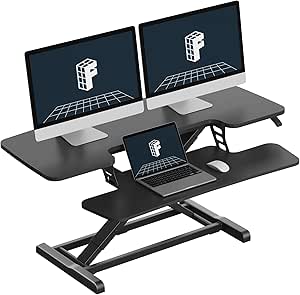
FLEXISPOT Standing Desk Converter 42 – Extra Large Ergonomic Sit-Stand Desk Riser with Keyboard Tray, Black
As an affiliate, we earn on qualifying purchases.