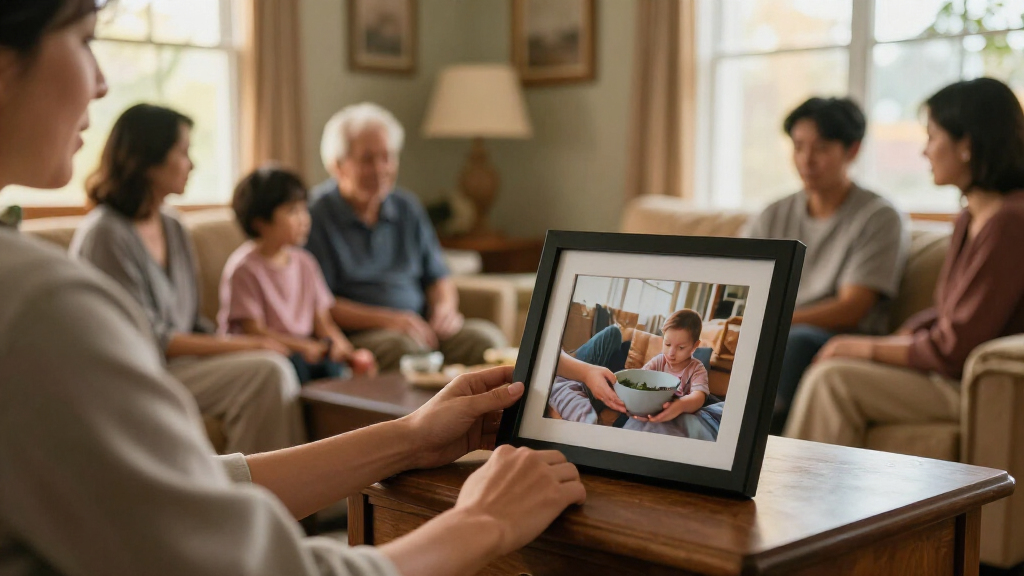
The Aura Carver 10.1-Inch HD Digital Picture Frame is my best overall pick for family gatherings, while the Frameo 15.6-Inch Wi-Fi Digital Photo Frame stands out when a larger screen matters and the Skylight 10-Inch Wi-Fi Digital Picture Frame is a straightforward choice for simpler sharing. These frames differ most in screen size, app-based photo sharing, storage, and setup. A large display is easier for a group to see, but takes up more space; app sharing can bring in relatives’ photos, though everyone’s comfort with the setup matters. Storage and rotation features also affect how easily a frame fits into a busy family room. Continue reading for the full breakdown and help choosing the right frame for your gatherings.

Get smart everyday buys delivered free with Prime
- Fast, free delivery on millions of items
- Prime Video, Amazon Music and more included
- Member-only deals all year
Key Takeaways
- The Aura Carver is the best overall fit for families who want a polished 10.1-inch option without making a large display the centerpiece of the room.
- The 15.6-inch Frameo options prioritize group visibility; their larger Full HD screens suit shared viewing better than compact frames, but need more display space.
- Several 10.1-inch picks pair Wi-Fi with 32GB storage, so the choice among them depends more on app experience, setup, and useful extras than capacity alone.
- Auto-rotation appears on several compact models, a practical advantage when a frame may move between portrait and landscape photos from different relatives.
- Storage varies from 16GB to 64GB across this lineup; the larger capacity can suit long-running family collections, while local space alone does not solve the challenge of inviting relatives to share.
| Akimart 10.1-Inch Wi-Fi Digital Picture Frame with 32GB Memory |  | Best for Shared Family Albums | Screen: 10.1-inch IPS touchscreen | Resolution: 1280 × 800 | Internal storage: 32GB | VIEW LATEST PRICE | See Our Full Breakdown |
| Aura Carver 10.1-Inch HD Digital Picture Frame, Black |  | Best for Longer Video Moments | Display: 10.1-inch WXGA touchscreen | Aspect ratio: 16:9 | Connectivity: Wi-Fi | VIEW LATEST PRICE | See Our Full Breakdown |
| Frameo 10.1-Inch Wi-Fi Digital Picture Frame, 32GB, Black |  | Best for Family-Controlled Sharing | Screen: 10.1-inch IPS touchscreen | Resolution: 1280 × 800 | Aspect ratio: 16:10 | VIEW LATEST PRICE | See Our Full Breakdown |
| Pixedge Frameo 15.6-Inch Wi-Fi Digital Picture Frame with Touchscreen, 32GB Storage |  | Best for Large Gathering Rooms | Display: 15.6-inch FHD IPS touchscreen | Resolution: 1920 × 1080 | Aspect ratio: 16:9 | VIEW LATEST PRICE | See Our Full Breakdown |
| Skylight 10-Inch Wi-Fi Digital Picture Frame, Black |  | Best for Preloaded Gifts | Display: 10-inch touchscreen | Resolution: 1280 × 800 | Aspect ratio: 16:9 | VIEW LATEST PRICE | See Our Full Breakdown |
| 15.6-Inch Frameo Wi-Fi Digital Picture Frame, 64GB |  | Best for a Large, Shared Display | Display: 15.6-inch IPS touchscreen | Resolution: 1920 × 1080 | Aspect ratio: 16:9 | VIEW LATEST PRICE | See Our Full Breakdown |
| AEEZO 10.1-Inch Wi-Fi Digital Picture Frame with Touchscreen, 32GB Storage, and Auto-Rotate |  | Best for Automatic Display Adjustments | Screen: 10.1-inch IPS touchscreen | Resolution: 1280 × 800 | Aspect ratio: 16:10 | VIEW LATEST PRICE | See Our Full Breakdown |
| Frameo 15.6-Inch Wi-Fi Digital Photo Frame, 64GB, FHD Touchscreen |  | Best for Private Family Contributions | Display: 15.6-inch IPS touchscreen | Resolution: 1920 × 1080 FHD | Aspect ratio: 16:9 | VIEW LATEST PRICE | See Our Full Breakdown |
| 10.1-Inch Wi-Fi Digital Picture Frame with Touchscreen, 32GB Memory, and AiMOR App |  | Best for Compact App-Based Sharing | Display: 10.1-inch IPS touchscreen | Resolution: 1280 × 800 | Aspect ratio: 16:10 | VIEW LATEST PRICE | See Our Full Breakdown |
| BIGASUO Frameo 10.1-Inch Wi-Fi Digital Picture Frame, 32GB |  | Best for Simple Frameo Family Sharing | Display: 10.1-inch IPS touchscreen | Resolution: 1280 × 800 | Aspect ratio: 1.75:1 | VIEW LATEST PRICE | See Our Full Breakdown |
| NETTIPS 10.1-Inch Frameo Digital Photo Frame with Auto-Rotate |  | Best for Straightforward Frameo Sharing | Display: 10.1-inch IPS touchscreen | Resolution: 1280 × 800 | Connectivity: Wi-Fi | VIEW LATEST PRICE | See Our Full Breakdown |
| BIGASUO 15.6-Inch Wi-Fi Digital Picture Frame, 64GB, Full HD Touchscreen |  | Best for Large-Gathering Viewing | Display: 15.6-inch IPS touchscreen | Resolution: 1920 × 1080 Full HD | Aspect ratio: 16:9 | VIEW LATEST PRICE | See Our Full Breakdown |
| Euphro 10.1-Inch Wi-Fi Digital Picture Frame with 32GB Storage and IPS Touchscreen |  | Best for Slideshow Customization | Display: 10.1-inch IPS touchscreen | Resolution: 1280 × 800 (WXGA) | Aspect ratio: 1.60:1 | VIEW LATEST PRICE | See Our Full Breakdown |
| 10.1-Inch Wi-Fi Digital Picture Frame with IPS Touchscreen, 16 GB Storage, and Auto-Rotation |  | Best for Flexible Placement | Display: 10.1-inch IPS touchscreen | Resolution: 1280 × 800 | Viewing angle: 178° | VIEW LATEST PRICE | See Our Full Breakdown |
| CIOWAIN 10.1-Inch WiFi Digital Picture Frame, 32GB |  | Best for Frameo Households Wanting More Storage | Display: 10.1-inch HD IPS touchscreen | Resolution: 1280 × 800 | Aspect ratio: 16:10 | VIEW LATEST PRICE | See Our Full Breakdown |
| digital photo frames for family gathering | Resolution | Display | Aspect ratio |
|---|---|---|---|
| Akimart 10.1-Inch Wi-Fi Digita | 1280 × 800 | — | — |
| Aura Carver 10.1-Inch HD Digit | — | 10.1-inch WXGA touchscreen | 16:9 |
| Frameo 10.1-Inch Wi-Fi Digital | 1280 × 800 | — | 16:10 |
| Pixedge Frameo 15.6-Inch Wi-Fi | 1920 × 1080 | 15.6-inch FHD IPS touchscreen | 16:9 |
| Skylight 10-Inch Wi-Fi Digital | 1280 × 800 | 10-inch touchscreen | 16:9 |
| 15.6-Inch Frameo Wi-Fi Digital | 1920 × 1080 | 15.6-inch IPS touchscreen | 16:9 |
| AEEZO 10.1-Inch Wi-Fi Digital | 1280 × 800 | — | 16:10 |
| Frameo 15.6-Inch Wi-Fi Digital | 1920 × 1080 FHD | 15.6-inch IPS touchscreen | 16:9 |
| 10.1-Inch Wi-Fi Digital Pictur | 1280 × 800 | 10.1-inch IPS touchscreen | 16:10 |
| BIGASUO Frameo 10.1-Inch Wi-Fi | 1280 × 800 | 10.1-inch IPS touchscreen | 1.75:1 |
| NETTIPS 10.1-Inch Frameo Digit | 1280 × 800 | 10.1-inch IPS touchscreen | — |
| BIGASUO 15.6-Inch Wi-Fi Digita | 1920 × 1080 Full HD | 15.6-inch IPS touchscreen | 16:9 |
| Euphro 10.1-Inch Wi-Fi Digital | 1280 × 800 (WXGA) | 10.1-inch IPS touchscreen | 1.60:1 |
| 10.1-Inch Wi-Fi Digital Pictur | 1280 × 800 | 10.1-inch IPS touchscreen | — |
| CIOWAIN 10.1-Inch WiFi Digital | 1280 × 800 | 10.1-inch HD IPS touchscreen | 16:10 |
More Details on Our Top Picks
Akimart 10.1-Inch Wi-Fi Digital Picture Frame with 32GB Memory
For gatherings where relatives want to contribute photos from their phones, the Akimart 10.1-inch frame pairs Frameo app sharing with 32GB of internal storage and microSD support. That gives a host room to build a family collection before everyone arrives, while remote sharing lets people add moments afterward. Its IPS touchscreen, auto-rotation, and collage mode for up to six photos suit a tabletop display where guests may gather around from different angles. Compared with the Skylight 10-Inch, Akimart offers more stated built-in storage and a card slot, rather than relying on 8GB of cloud-based storage. The tradeoff is that app-sent videos stop at 15 seconds, and its plastic frame is less polished than a more gift-focused choice.
Pros:- Frameo app lets family members share photos remotely.
- 32GB internal memory plus microSD support gives flexible storage and file transfer.
- IPS touchscreen and auto-rotation suit shared viewing from different seats.
- Collage mode, captions, calendar sync, and display controls add useful gathering-day options.
Cons:- Videos shared through the app are limited to 15 seconds.
- Plastic construction may look less refined than a gift-oriented display.
- Tabletop mounting may limit placement options.
Best for: Families who want relatives to send photos through Frameo and want local storage plus a microSD option for gathering-day albums.
Not ideal for: Hosts who want to show longer video clips or prefer a more premium-looking frame for a prominent living-room display.
- Screen:10.1-inch IPS touchscreen
- Resolution:1280 × 800
- Internal storage:32GB
- Expandable storage:Micro SD card
- Sharing:Wi-Fi and Frameo app for iOS and Android
- Video limit:Up to 15 seconds
- Orientation and placement:Auto-rotation; tabletop use
- Special features:Collage mode for up to 6 photos, calendar sync, captions, weather, clock, adjustable brightness, and sleep mode
Our verdict“Choose the Akimart if your family wants a shared Frameo album with generous stated storage and easy tabletop viewing.”
Aura Carver 10.1-Inch HD Digital Picture Frame, Black
The Aura Carver is a strong fit for family gatherings where quick clips and live photos matter as much as still images. Its app supports videos up to 30 seconds with sound, twice the stated app-video limit of the Akimart and Frameo 10.1-inch models here. Aura also offers unlimited photo and video storage through its free app with no subscription fee, so a family can keep adding memories without managing a stated local-storage ceiling. Automatic brightness adjustment helps the display adapt as a room’s light changes, and the frame can be preloaded for gifting. The compromise is a Wi-Fi-dependent setup and sharing experience; unlike the Akimart, it does not list a microSD transfer route. Windows PC screen mirroring is specified, but support for other computer platforms is not.
Pros:- Supports videos up to 30 seconds with sound, longer than the 15-second limits listed for Akimart and Frameo.
- Unlimited storage through the free Aura app with no subscription fee.
- Automatic brightness adjustment adapts the display to changing room light.
- Can be preloaded with photos, videos, and a message before gifting.
Cons:- Wi-Fi is required for setup and sharing features.
- No memory-card transfer option is listed, unlike the Akimart.
- Computer mirroring is specified for Windows only.
Best for: Families who want to share short clips with sound, live photos, and a growing collection through a phone app without a subscription.
Not ideal for: Hosts who need offline file transfers by memory card or want a frame that can receive new content without Wi-Fi.
- Display:10.1-inch WXGA touchscreen
- Aspect ratio:16:9
- Connectivity:Wi-Fi
- Storage:Unlimited through the Aura app; no subscription fee
- Video support:Up to 30 seconds with sound
- App:Aura app
- Additional features:Automatic brightness, live photos, portrait pairing, and Windows PC screen mirroring
- Power and warranty:Corded electric; 1-year warranty
Our verdict“Pick the Aura Carver if your gathering album depends on longer sound-enabled clips and app-based sharing rather than offline transfers.”
Frameo 10.1-Inch Wi-Fi Digital Picture Frame, 32GB, Black
For a family album with several contributors, the Frameo 10.1-inch makes invited contacts and controlled sharing part of the appeal: relatives can send moments through the app without handing the frame around. Its 32GB of built-in storage, microSD transfer support, collage mode, and calendar sync give a host practical ways to prepare a display for a reunion. The 1280 × 800 IPS touchscreen matches the Akimart’s stated resolution and screen type, so the decision between them is less about image specs and more about workflow. Akimart lists more display extras, including captions, weather, and clock; this Frameo model clearly specifies microSD cards up to 32GB in FAT32 format. App-shared videos are limited to 15 seconds, and the frame needs corded power, so it is not a cable-free centerpiece.
Pros:- Invited contacts can share through the Frameo app, supporting a family-contributed album.
- 32GB built-in storage plus microSD support allows both stored collections and file transfers.
- IPS touchscreen and 1280 × 800 resolution support clear group viewing.
- Calendar sync, collage mode, and adjustable display settings suit a prepared gathering display.
Cons:- Videos sent through the app are limited to 15 seconds.
- MicroSD compatibility is limited to cards up to 32GB in FAT32 format.
- Corded electric power restricts placement.
Best for: Families who want invited relatives to contribute through Frameo while the host retains control over who can send content.
Not ideal for: People who want longer video playback, wireless power, or to use microSD cards larger than 32GB.
- Screen:10.1-inch IPS touchscreen
- Resolution:1280 × 800
- Aspect ratio:16:10
- Built-in storage:32GB
- MicroSD support:Up to 32GB, FAT32 format
- Connectivity and app:Wi-Fi; Frameo app
- App video limit:Up to 15 seconds
- Power and support:Corded electric; 1-year replacement service for quality-related issues and lifetime technical support
Our verdict“Choose this Frameo model if you want a straightforward, host-controlled sharing setup with local storage for family gatherings.”
Pixedge Frameo 15.6-Inch Wi-Fi Digital Picture Frame with Touchscreen, 32GB Storage
When guests need to see the display from across a dining room or living area, the Pixedge 15.6-inch frame has a clear advantage over the 10.1-inch Aura Carver and Akimart: its larger 1920 × 1080 FHD IPS screen gives a group more room to view photos together. It still supports Frameo app sharing, while offline transfers through compatible SD cards, FAT32 USB drives, or USB-C offer a useful fallback when the gathering’s Wi-Fi is unreliable. Touch controls for cropping, orientation, and reactions make it easier to tailor what appears on screen. The tradeoffs are its larger footprint and 15-second app-video limit; the Aura Carver is more suited to longer clips. Storage information is inconsistent in the supplied data, which lists both 32GB and 1GB, so I would verify capacity before buying.
Pros:- 15.6-inch FHD IPS touchscreen is easier for a group to view than the 10.1-inch options.
- Frameo app supports Wi-Fi sharing of photos and short videos.
- Offline transfers are supported through compatible SD cards, FAT32 USB drives, or USB-C.
- Touch controls include cropping, orientation, reactions, and display customization.
Cons:- App-shared videos are limited to 15 seconds, shorter than the Aura Carver’s stated 30-second support.
- The large frame needs more placement space than the 10.1-inch models.
- Supplied storage information conflicts, listing both 32GB and 1GB.
Best for: Hosts who want a large, high-resolution display for a shared room and value offline transfer options alongside Frameo sharing.
Not ideal for: Buyers with limited tabletop space, a need for longer app-shared videos, or a firm requirement for clearly confirmed storage capacity.
- Display:15.6-inch FHD IPS touchscreen
- Resolution:1920 × 1080
- Aspect ratio:16:9
- Storage information:Product description lists 32GB; product information lists 1GB
- Sharing:Wi-Fi and Frameo app; videos up to 15 seconds
- Offline transfer:Compatible SD cards, FAT32 USB drives, or computer via USB-C
- External storage support:Up to 32GB
- Power and warranty:Corded electric; 1-year warranty
Our verdict“Choose the Pixedge if group visibility and flexible offline transfers matter more than compact size or longer video clips.”
Skylight 10-Inch Wi-Fi Digital Picture Frame, Black
The Skylight 10-Inch is the easiest fit here when the frame itself is part of a family gift: Gift Mode lets the giver preload and personalize it before handing it over. At 10 inches with a 1280 × 800 touchscreen, it offers a compact shared display, and offline mode keeps existing photos viewable if Wi-Fi drops during a gathering. That offline access is a practical distinction from the Aura Carver, whose setup and sharing features require Wi-Fi, though neither option is a substitute for truly independent power. Skylight’s 8GB cloud-based storage is more limited than the stated 32GB in the Akimart and Frameo models, and new photos still need Wi-Fi to arrive. Choose it for a ready-to-give album, not for the largest local collection or the most flexible transfer methods.
Pros:- Gift Mode allows preloading and personalizing the frame before giving it.
- Offline mode can display photos already stored on the frame.
- Touchscreen and 1280 × 800 resolution suit a compact tabletop display.
- Photos and videos can be sent from smartphones over Wi-Fi.
Cons:- The listed 8GB storage is less than the 32GB stated for Akimart and Frameo models.
- Wi-Fi is required to receive or upload new photos.
- Corded power limits where it can be placed.
Best for: Relatives who want to give a frame already personalized with family photos and a message, especially to someone who prefers a simple setup.
Not ideal for: Families who expect a large stored collection, need memory-card transfers, or want to add new photos when Wi-Fi is unavailable.
- Display:10-inch touchscreen
- Resolution:1280 × 800
- Aspect ratio:16:9
- Storage:8GB cloud-based storage
- Connectivity:Wi-Fi and wireless
- Offline mode:Views photos already on the frame
- Gift feature:Gift Mode for preloading and personalizing
- Power:Corded electric
Our verdict“Pick the Skylight for a personalized, preloaded family gift, but choose Akimart or Frameo if storage capacity and card transfers matter more.”
15.6-Inch Frameo Wi-Fi Digital Picture Frame, 64GB
For a family gathering where people will be viewing from around the room, the 15.6-inch Full HD IPS screen is the main reason to choose this model. Its wide viewing angle and portrait or landscape placement make it more adaptable to a sideboard or wall than the smaller AEEZO 10.1-Inch. The 64GB of internal storage, plus SD and USB imports, also gives you room to build a substantial family slideshow without relying only on app uploads.
The tradeoff is that remote uploads use 2.4GHz Wi-Fi, and Frameo app videos are limited to 15 seconds; longer clips need to come from removable storage. FAT32 formatting adds a setup step, and the USB port is not for direct computer transfers. Choose it for a prominent gathering-room display, not for the simplest video-sharing workflow.
Pros:- 15.6-inch 1080p IPS touchscreen is easy to view across a gathering space.
- 64GB internal storage, with SD card and USB flash drive import options.
- Frameo app supports remote photo and short video sharing.
- Can be used in portrait or landscape orientation on a desktop or wall.
Cons:- Frameo app uploads are limited to 15-second videos.
- Wi-Fi is limited to 2.4GHz.
- SD cards and USB drives must use FAT32, and the USB port does not transfer directly from a computer.
Best for: Families who want a large frame on a shared-room table or wall and plan to load many photos locally.
Not ideal for: Families who mainly share longer videos remotely or need a frame that connects to 5GHz Wi-Fi.
- Display:15.6-inch IPS touchscreen
- Resolution:1920 × 1080
- Aspect ratio:16:9
- Internal storage:64GB
- Wi-Fi:2.4GHz
- App video limit:Up to 15 seconds
- Connections:Wi-Fi, SD card, USB flash drive
- Placement:Desktop or wall mount; landscape or portrait with auto-rotate
- Audio:Built-in speaker
Our verdict“Choose this Frameo if a large, high-capacity shared display matters more than remote access to longer videos.”
AEEZO 10.1-Inch Wi-Fi Digital Picture Frame with Touchscreen, 32GB Storage, and Auto-Rotate
The AEEZO is the more placement-aware choice among the compact frames here. Its gravity-sensor auto-rotation and ambient-light brightness adjustment can reduce fiddling when the frame moves between orientations or rooms. That makes it a practical fit for a family side table where lighting changes through the day. It also has 32GB of internal storage and lets invited contributors send photos through the AiMOR app, similar to the other 10.1-inch AiMOR frame in this group.
Compared with the 15.6-Inch Frameo, this AEEZO takes up less space but gives up the larger, sharper gathering-room presentation. The resolution is 1280 × 800, and corded power limits where it can sit. SD content must be imported before playback, so it is not a plug-in-and-browse card reader. Pick it for a compact, low-adjustment setup rather than a big-screen centerpiece.
Pros:- Auto-rotate uses a built-in gravity sensor.
- Light sensor adjusts brightness, with manual adjustment also available.
- AiMOR app supports family and friend uploads.
- 32GB internal storage and support for SD cards up to 64GB.
Cons:- 10.1-inch screen is less visible from across a room than the 15.6-inch options.
- SD card media must be imported to the frame before playback.
- Requires corded electric power.
Best for: Families seeking a compact shared frame that can adjust its orientation and brightness as its placement changes.
Not ideal for: Hosts who need a display visible across a large room or want to play directly from an SD card.
- Screen:10.1-inch IPS touchscreen
- Resolution:1280 × 800
- Aspect ratio:16:10
- Internal storage:32GB
- Maximum SD card capacity:64GB
- Sharing app:AiMOR
- Orientation:Auto-rotate via built-in gravity sensor
- Brightness:Automatic via light sensor; adjustable
- Power:Corded electric
Our verdict“Choose the AEEZO for a compact family frame that adapts to changing orientation and room light, not for long-distance viewing.”
Frameo 15.6-Inch Wi-Fi Digital Photo Frame, 64GB, FHD Touchscreen
This large Frameo frame is the clearest fit for families who want a prominent slideshow while limiting who can add to it. Invite-only sharing gives the host control over contributors, while the 15.6-inch 1080p IPS touchscreen makes photos easier to see around a gathering than on the compact AiMOR models. Albums and collage mode can also help turn a mixed stream of family uploads into a more organized display; calendar and weather views offer alternatives between photo sessions.
Its 64GB capacity matches the other 15.6-inch Frameo in this batch, but external storage guidance is more restrictive: SD cards and USB drives are recommended up to 32GB and need FAT32 formatting. It also requires corded power. Compared with the 15.6-Inch Frameo Wi-Fi Digital Picture Frame, 64GB, this one foregrounds privacy and display modes, while both share the short-video limitations typical of app-based sharing.
Pros:- Invite-only Frameo sharing gives the host control over contributors.
- 15.6-inch Full HD IPS touchscreen suits viewing during gatherings.
- 64GB built-in storage with albums, slideshows, and collage mode.
- Includes calendar, weather, brightness, volume, and sleep settings.
Cons:- External SD cards and USB drives are recommended only up to 32GB and must be FAT32 formatted.
- Requires corded electric power.
- The large display needs more dedicated surface or wall space than a 10.1-inch frame.
Best for: Families who want a large shared-room display and want to restrict photo uploads to invited relatives and friends.
Not ideal for: People who expect to transfer large libraries from high-capacity external drives or need a battery-powered frame.
- Display:15.6-inch IPS touchscreen
- Resolution:1920 × 1080 FHD
- Aspect ratio:16:9
- Built-in storage:64GB
- Sharing:Frameo app with invited contributors
- External storage:SD cards and USB flash drives up to 32GB recommended; FAT32
- Display modes:Slideshow, albums, collage, calendar, and weather
- Power:Corded electric
Our verdict“Pick this model when contributor privacy and a large, feature-rich display matter more than flexible external-storage capacity.”
10.1-Inch Wi-Fi Digital Picture Frame with Touchscreen, 32GB Memory, and AiMOR App
This AiMOR frame suits families who want relatives to send photos to a modest-sized display without needing to handle the frame itself. App and touchscreen controls support both remote contributions and local adjustments, while auto-rotation and automatic brightness help it fit a side table or shelf. Its 32GB internal storage is generous for a compact frame, and microSD expansion offers another way to bring in a photo collection.
Compared with the AEEZO 10.1-Inch, this model specifies a 15-second video limit and microSD imports, while the AEEZO lists a maximum card capacity and automatic brightness controls. The card is not a direct playback source: files must be imported, and app videos are short. Like the larger Frameo choices, it needs corded power; unlike them, its smaller screen is better for close viewing than for a room-wide slideshow.
Pros:- AiMOR app supports wireless photo sharing with invited contributors.
- 32GB internal storage with microSD expansion up to 64GB.
- Auto-rotation and automatic brightness adjustment suit changing placement and light.
- Touchscreen and app controls provide local and remote ways to manage the frame.
Cons:- Videos are limited to 15 seconds.
- MicroSD photos and videos must be imported before playback.
- Requires corded electric power.
Best for: Families who want invited relatives to send photos remotely to a compact frame placed near the people viewing it.
Not ideal for: Hosts who need long video playback, a large screen for a crowded room, or direct playback from a memory card.
- Display:10.1-inch IPS touchscreen
- Resolution:1280 × 800
- Aspect ratio:16:10
- Internal storage:32GB
- Expandable storage:MicroSD card up to 64GB
- Sharing app:AiMOR
- Video limit:Up to 15 seconds
- Supported image formats:JPG, JPEG, BMP, PNG
- Power:Corded electric
Our verdict“Choose this AiMOR model for convenient remote photo sharing on a nearby shelf, but not as a large-room or long-video display.”
BIGASUO Frameo 10.1-Inch Wi-Fi Digital Picture Frame, 32GB
For a family that wants to send photos remotely without making the frame the centerpiece of the room, the BIGASUO offers a straightforward 10.1-inch Frameo touchscreen with 32GB of storage. Sharing access with family and friends makes it suitable for an ongoing stream of gathering photos, and practical settings such as photo hiding, albums, and sleep mode give the host some control over what appears and when. Its smaller footprint is easier to place than either 15.6-inch Frameo in this batch.
The tradeoff is a less prominent display: compared with the 15.6-Inch Frameo Wi-Fi Digital Picture Frame, 64GB, it has lower resolution and half the stated internal capacity. It uses corded power, and the product data does not specify software-update support, which may matter to buyers planning long-term app use. Choose it for compact Frameo sharing and everyday controls, not for a large group viewing from across a room.
Pros:- Frameo app supports remote photo and video sharing with family and friends.
- Touchscreen controls support straightforward frame management.
- 32GB internal storage with Micro SD card expansion.
- Includes auto-rotate, albums, photo hiding, brightness adjustment, and sleep mode.
Cons:- 10.1-inch 1280 × 800 display is less suited to viewing across a large gathering room than the 15.6-inch Frameo models.
- Requires corded electric power.
- Software update support date is unspecified.
Best for: Families who want a compact Frameo frame with shared uploads, albums, and basic control over what displays.
Not ideal for: Hosts who want a large, high-resolution focal point or need clear information about ongoing software updates.
- Display:10.1-inch IPS touchscreen
- Resolution:1280 × 800
- Aspect ratio:1.75:1
- Internal storage:32GB
- Expandable storage:Micro SD card
- Sharing app:Frameo
- Frame dimensions:7.2 × 10.5 inches
- Power:Corded electric
- Warranty:One year
Our verdict“Choose the BIGASUO for compact Frameo sharing and useful display controls, but pick a 15.6-inch model for room-wide viewing.”
NETTIPS 10.1-Inch Frameo Digital Photo Frame with Auto-Rotate
The NETTIPS makes sense for family gatherings where relatives want to send pictures to one shared display without handling a memory card. Its Frameo app sharing works with Android and iOS, while the 10.1-inch IPS touchscreen can be viewed in either orientation. Compared with the Euphro WF133, it has less built-in storage, but its Frameo app may suit families already using that platform better than Euphro’s Uhale app. The tradeoff is a modest 16 GB capacity, with Micro SD expansion capped at 32 GB, so large ongoing collections need some housekeeping. Videos stop at 15 seconds, and adding content remotely depends on Wi-Fi. I’d choose it for a shared side table, not as the lineup’s big-room centerpiece.
Pros:- Remote photo and short-video sharing through the Frameo app for iOS and Android
- IPS touchscreen supports viewing from different angles
- Can be placed horizontally or vertically
- Micro SD expansion supports cards up to 32 GB
Cons:- Built-in storage is 16 GB, less than the Euphro WF133’s 32 GB
- Videos are limited to 15 seconds
- App-based sharing requires Wi-Fi
Best for: Families who want relatives to send occasional photos through Frameo to a compact table display.
Not ideal for: Households seeking a large display for a crowded room or frequent video sharing, since the screen is 10.1 inches and clips are limited to 15 seconds.
- Display:10.1-inch IPS touchscreen
- Resolution:1280 × 800
- Connectivity:Wi-Fi
- App:Frameo for Android and iOS
- Built-in storage:16 GB
- Expandable storage:Micro SD card up to 32 GB
- Maximum video length:15 seconds
- Placement:Horizontal or vertical
Our verdict“Choose the NETTIPS for a compact family frame with Frameo sharing, but pick the Euphro if you want more built-in storage.”
BIGASUO 15.6-Inch Wi-Fi Digital Picture Frame, 64GB, Full HD Touchscreen
For a family gathering, the BIGASUO’s main advantage is simply that more people can see it at once. Its 15.6-inch Full HD screen is a better fit for a living-room shelf or wall than the 10.1-inch NETTIPS, whose smaller footprint suits a side table. The 64 GB internal storage also leaves more room for a growing shared collection, and relatives can send content through Frameo with captions and privacy controls. If a family already has photos on removable media, SD card and USB import offer another route, though the maker recommends 32 GB external drives formatted to FAT32; larger drives may not work reliably. Its plastic construction and corded power keep it less flexible than a portable screen, and it takes more space than compact options.
Pros:- 15.6-inch Full HD IPS touchscreen is suited to shared viewing across a room
- 64 GB of built-in storage
- Frameo sharing supports captions and privacy controls
- Tabletop and wall-mount placement options, plus SD card and USB import
Cons:- Larger footprint takes more space than 10.1-inch models such as the NETTIPS
- External media is recommended at 32 GB and formatted to FAT32
- Corded power limits where it can be placed
Best for: Families who want a wall-mounted or tabletop display large enough for several guests to view together, with room for a substantial photo library.
Not ideal for: People with limited shelf or wall space, or families who need uncomplicated support for large external drives.
- Display:15.6-inch IPS touchscreen
- Resolution:1920 × 1080 Full HD
- Aspect ratio:16:9
- Connectivity and app:Wi-Fi; Frameo for iOS and Android
- Built-in storage:64 GB
- Media import:SD card and USB drive
- Recommended external media:32 GB, formatted to FAT32
- Mounting:Tabletop or wall-mounted
Our verdict“Pick the BIGASUO when shared visibility and built-in capacity matter more than a compact footprint or flexible external-drive support.”
Euphro 10.1-Inch Wi-Fi Digital Picture Frame with 32GB Storage and IPS Touchscreen
The Euphro is a good match for families who want to shape how a gathering’s photos appear, not just send them to a screen. Its touchscreen settings let users adjust image scaling, display order, visibility, and transitions, giving the host more control over a slideshow than the simpler feature descriptions for the NETTIPS and CIOWAIN provide. The 32 GB internal storage is double the NETTIPS’s stated capacity, with Micro SD support for expansion. It uses the Uhale app rather than Frameo, so families already sharing through Frameo may prefer NETTIPS or CIOWAIN to avoid switching ecosystems. The 10.1-inch, 1280 × 800 display works better on a table near guests than across a large room, and Wi-Fi and corded power are needed for its app-based setup and placement.
Pros:- 32 GB of internal storage with Micro SD card expansion support
- Uhale app shares photos and videos over Wi-Fi
- Touchscreen settings include image scaling, order, visibility, and transitions
- Supports horizontal or vertical placement
Cons:- Uses Uhale rather than Frameo, which may not fit a family’s existing sharing routine
- 10.1-inch display is less visible across a large gathering space than the BIGASUO 15.6-inch model
- Requires Wi-Fi for app-based sharing and corded power
Best for: Hosts who want to curate photo order, visibility, scaling, and slideshow transitions on a compact family display.
Not ideal for: Families committed to Frameo sharing or looking for a large screen for guests gathered across a room.
- Display:10.1-inch IPS touchscreen
- Resolution:1280 × 800 (WXGA)
- Aspect ratio:1.60:1
- Connectivity:Wi-Fi
- App:Uhale for Android and iOS
- Internal storage:32 GB
- Expandable storage:Micro SD card support
- Orientation:Horizontal or vertical
Our verdict“Choose the Euphro if slideshow control and 32 GB of storage matter more than using Frameo or filling a large room with the display.”
10.1-Inch Wi-Fi Digital Picture Frame with IPS Touchscreen, 16 GB Storage, and Auto-Rotation
This 10.1-inch frame suits families who may move the display between a table and a wall, or switch between portrait and landscape photos. Automatic rotation, wall mounting, and a stated 178° viewing angle make placement more forgiving than the CIOWAIN, whose listed specs flag a mismatch between its 32 GB description and 16 GB specification. This frame’s listed capacity is clearer: 16 GB built in, with microSD support up to 32 GB. It accepts app-shared photos and MP4 videos, but clips are capped at 15 seconds, like the NETTIPS. The two-year warranty is longer than the one-year coverage listed for NETTIPS and Euphro. Still, it is corded, and its 10.1-inch screen is less suited to a room-wide view than the 15.6-inch BIGASUO.
Pros:- Automatic rotation supports portrait and landscape photos
- Wall-mountable as well as suitable for tabletop placement
- 178° viewing angle and 1280 × 800 IPS touchscreen
- Two-year warranty
Cons:- Videos are limited to 15 seconds
- Built-in storage is 16 GB, less than the Euphro’s 32 GB
- Corded power restricts placement
Best for: Families who want to move a frame between wall and tabletop display and regularly share portrait and landscape photos.
Not ideal for: People who need long video playback, a cordless display, or a screen visible from across a large gathering room.
- Display:10.1-inch IPS touchscreen
- Resolution:1280 × 800
- Viewing angle:178°
- Connectivity:Wi-Fi
- Supported video format and length:MP4; up to 15 seconds
- Built-in storage:16 GB
- Expandable storage:MicroSD card up to 32 GB
- Mounting and orientation:Wall mountable; portrait and landscape with auto-rotation
- Warranty:2 years
Our verdict“Choose this model for orientation flexibility and wall mounting, but look to the BIGASUO for a more visible group display.”
CIOWAIN 10.1-Inch WiFi Digital Picture Frame, 32GB
The CIOWAIN brings Frameo sharing together with auto-rotation and tabletop or wall placement, making it a plausible shared family display for households already using the app. Its storage listing, however, needs a closer read: the description says 32 GB, while the specifications say 16 GB. That conflict makes capacity harder to compare with the clearly stated 32 GB Euphro or the 16 GB NETTIPS; I wouldn’t choose CIOWAIN on the assumption that it holds 32 GB. The 10.1-inch, 1280 × 800 IPS screen is a practical fit for a nearby table, but it will not command a room like the BIGASUO’s 15.6-inch display. The frame supports portrait and landscape viewing, though Wi-Fi for app sharing and corded power limit independence from a router and outlet.
Pros:- Remote photo and short-video sharing through Frameo for iOS and Android
- Auto-rotation supports portrait and landscape viewing
- Includes a tabletop stand and supports wall mounting
- 10.1-inch HD IPS touchscreen with 1280 × 800 resolution
Cons:- Storage is inconsistent: 32 GB in the description and 16 GB in the specifications
- App-based sharing requires Wi-Fi
- Smaller display is less suited to group viewing than the BIGASUO 15.6-inch frame
Best for: Frameo-using families who want a compact display with auto-rotation and flexible tabletop or wall placement, and can verify storage before buying.
Not ideal for: Buyers who need a confirmed storage capacity or a large screen for viewing across a busy gathering room.
- Display:10.1-inch HD IPS touchscreen
- Resolution:1280 × 800
- Aspect ratio:16:10
- Connectivity:Wi-Fi and USB
- App:Frameo for iOS and Android
- Listed storage:32 GB in description; 16 GB in specifications
- Orientation:Portrait and landscape with auto-rotation
- Mounting:Tabletop stand and wall mounting
- Warranty:1 year
Our verdict“Consider the CIOWAIN for Frameo sharing and flexible placement only if its actual storage capacity is confirmed before purchase.”
How We Picked
I ranked these frames around the needs of a family gathering: whether several people can see the display, how easily relatives can contribute photos, and how much setup a host may need to manage. I also weighed screen size and resolution, storage, touch controls, orientation handling, and the practical fit of each frame in a shared room. Features matter here when they reduce friction—for example, auto-rotation can save repeated adjustments, while a larger display can make photos visible from farther away.
The ranking favors a balance of shared-photo usability, viewing comfort, and everyday fit, rather than storage capacity or screen size alone. The Aura Carver leads as a balanced compact pick; the larger Frameo and BIGASUO models move up for group viewing but suit homes with space for a bigger frame. Among similarly sized 10.1-inch frames, I distinguish options by their named sharing platform, storage, and listed conveniences, while treating models with sparse feature details more cautiously. A frame can still be a poor match if its app workflow does not suit the relatives who will send photos.
Factors to Consider When Choosing Digital Photo Frames For Family Gatherings
For a family gathering, the best frame is not necessarily the one with the most storage or the biggest screen. I would start with how photos will arrive, where guests will view them, and who will manage the frame after the event. These broader choices can prevent an appealing spec sheet from turning into extra work for the host.
Choose a sharing process your relatives will actually use
Wi-Fi sharing is only helpful if the people sending pictures can complete the setup without repeated instructions. Before choosing a frame, find out whether contributors need an app, an invitation, or access to the same account, and whether you are comfortable being the person who manages access. For a one-time gathering, a host-uploaded collection may be simpler than asking every guest to connect. For a frame that keeps receiving family photos afterward, a clear multi-person sharing flow matters more. A common mistake is treating “Wi-Fi” as proof that photo sharing will be effortless. Check the app and account requirements against the least tech-comfortable relative who is likely to contribute.
Match screen size to the room and viewing distance
A 10.1-inch frame is easier to place on a side table or shelf, while a 15.6-inch model is easier for a group to see from across a room. Think about where guests will stand and whether the screen will be viewed during conversation or up close. Larger displays need more surface area and may draw attention away from the gathering when space is limited. Small frames can feel personal, but several people may crowd around them to see details. Do not choose by diagonal measurement alone: the frame’s shape, placement, and brightness also affect how comfortable shared viewing feels. If you cannot picture a suitable spot for the larger size, a compact frame may be the better host-friendly choice.
Plan for mixed portrait and landscape photos
Family contributions rarely arrive in one consistent orientation, especially when people send photos from different phones and years. Auto-rotation can help a frame display both portrait and landscape images without regular manual changes. It does not guarantee that every image will fill the screen; cropping, borders, or unused space may still appear depending on the frame’s display and settings. If your family mainly shares portrait photos, check how the frame presents them before assuming a wide screen will make them look larger. A gathering slideshow can also feel more orderly when the frame handles orientation changes automatically. This feature is most useful when the host does not want to curate or edit every image before guests arrive.
Treat storage as part of a longer-term photo plan
Storage capacity affects how many files can remain on the frame, but it does not tell you how easy it is to add, organize, or preserve photos. This lineup includes models listed with 16GB, 32GB, and 64GB, so buyers keeping a large collection on the device may prefer more room. For a single event slideshow, available capacity may matter less than a simple way to load the selected photos. Ask whether your goal is a temporary gathering playlist or a display that grows across years of family events. Do not assume that local storage is a backup of originals; keep important photos in a separate library. A larger capacity can reduce space concerns, but it cannot replace a reliable sharing and archiving routine.
Decide how much setup and control the host should handle
Touchscreen controls can make it easier to adjust a slideshow or settings at the frame, but they also mean someone needs to know where those controls are. If the frame will be used by several relatives, a host-managed setup may keep the display consistent and reduce accidental changes. For a gift, the recipient’s comfort with Wi-Fi, apps, and account invitations should guide the choice more than a long feature list. A beginner-friendly frame is one whose setup and sharing steps match the owner’s habits, not simply one with a touchscreen. Ask who will connect it, invite contributors, and troubleshoot it if the network changes. Agreeing on that role before the event can prevent the frame from becoming a last-minute task.
Pay more for a real use-case improvement, not a bigger spec
A larger screen earns its place when many people need to view photos together; extra storage earns its place when you plan to keep a substantial collection on the device. Neither feature is automatically useful for a compact display on a small table or a short event playlist. Compare similar-size frames by the details that affect your routine, such as app-based sharing, auto-rotation, and whether the setup suits the intended owner. Avoid treating a named platform as a guarantee that every guest can send photos without friction. If a feature does not solve a problem your family has, it may add complexity rather than value. The strongest choice is the one whose advantages will still matter after the gathering ends.
Frequently Asked Questions
Should I choose a 10.1-inch frame or a 15.6-inch frame for a family gathering?
Choose a 15.6-inch model if guests will view photos from across a room or gather around the display together. A 10.1-inch frame is easier to fit on a side table and works well when guests will view it up close. Larger screens take more space, so check the intended shelf or table before buying. Also think about whether a big display suits the room after the event, rather than only during the gathering. For mixed use, placement and viewing distance matter as much as the screen measurement.
Can relatives send photos to a frame without everyone sharing one account?
That depends on the frame’s app and its invitation or sharing setup, so check the product’s current instructions before buying. A shared account may be convenient for one household but awkward when several relatives want to contribute independently. If many people will send pictures, confirm how contributors are added and whether the owner can remove access later. For a single event, one person collecting and uploading photos can be simpler. Decide on the sharing process before the gathering so guests are not troubleshooting accounts while everyone is waiting.
Is 16GB enough storage for family photos, or should I choose 32GB or 64GB?
Capacity needs depend on how many photos you want stored locally and whether the frame is for one event or an ongoing family collection. The 16GB model may suit a curated slideshow, while 32GB offers more room for a broader set of images. A 64GB option gives extra headroom for buyers who expect to keep adding photos over time. File size and video support, if relevant, can affect how quickly storage fills. Keep originals backed up elsewhere, since frame storage should not be your only copy.
Will portrait and landscape photos display properly on the same frame?
Many frames can show both orientations, and auto-rotation on some models can reduce manual adjustment when the frame itself changes position. The display may still use borders or crop an image to fit, so orientation support does not mean every photo fills the screen identically. If your family sends many portrait images, review how the frame handles that format before choosing a wide display. A mixed-orientation slideshow is also a good reason to avoid a model that requires frequent hands-on corrections. Keep the frame in a stable position if you want its orientation behavior to remain predictable.
What should I check before gifting a Wi-Fi photo frame to a less tech-savvy relative?
Check whether the recipient will need to connect the frame to Wi-Fi, install an app, create an account, or accept invitations from relatives. A simple gift is only simple if someone can help with the initial setup and explain how new photos will arrive. Ask whether you can prepare the frame and load an initial collection before giving it. Consider the recipient’s internet access and comfort using a touchscreen, not just the frame’s listed features. If ongoing sharing sounds like a burden, a smaller, host-managed photo collection may be a better fit.
Conclusion
My best overall choice is the Aura Carver for families who want a balanced compact frame for shared moments. For best value, compare the 10.1-inch 32GB models by the sharing app and setup process your family can handle; storage alone does not separate them. The best premium-style fit for group viewing is a 15.6-inch Frameo or BIGASUO option with 64GB and a Full HD touchscreen, especially when the frame will sit in a spacious common room. For beginners, the Skylight is a strong candidate when straightforward setup is the priority, while the AEEZO or NETTIPS may suit buyers who want auto-rotation. For specific needs, choose the large-screen models for visibility, a compact auto-rotating frame for mixed orientations, and a higher-capacity option for a growing local collection. Pick according to who will send photos and where guests will see them, and the right tradeoff becomes much clearer.