
For self-employed filers, TurboTax Home & Business Desktop Edition 2025 is my best overall pick in this lineup because it is built for individual returns that include business income. H&R Block Premium Tax Software 2025 is a strong alternative for people who want a different guided filing workflow, while TurboTax Business Desktop Edition 2025 is aimed at business entities rather than a typical sole proprietor’s personal return. The main tradeoffs are tax-year relevance, compatibility with your computer, and whether you need an individual or business-entity return. Older editions may not support the return year you need, even if their software category sounds right. Read on for the full comparison and guidance on matching a product to your filing situation.

Get smart everyday buys delivered free with Prime
- Fast, free delivery on millions of items
- Prime Video, Amazon Music and more included
- Member-only deals all year
Key Takeaways
- TurboTax Home & Business Desktop Edition 2025 is the clearest overall fit here for a self-employed person filing an individual return with business income.
- TurboTax Business Desktop Edition 2025 serves a different purpose: it is intended for business tax returns, so do not assume it replaces personal-return software for a sole proprietor.
- H&R Block Premium Tax Software 2025 and H&R Block Tax Software Premium & Business 2025 both target the 2025 filing workflow, but buyers should confirm which forms and filing types each edition covers.
- The 2019 H&R Block and 2023 TurboTax listings are dated editions; their year labels make them a poor match for filing a current-year return unless you specifically need that tax year.
- Desktop compatibility is a practical dividing line: the listed TurboTax Business edition specifies Windows 11, while other listings name Windows and/or Mac support that buyers should verify against their own system.
| H&R Block Premium Tax Software 2025 (Windows/Mac) | 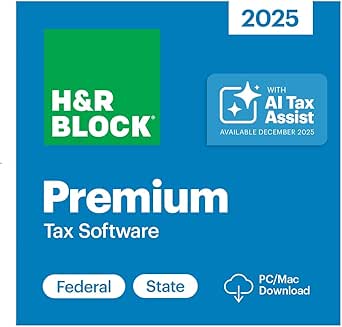 | Best for Guided Schedule C Filing | Tax year: 2025 | Platform: Windows and Mac | Operating system: Windows 10 or macOS 12 Monterey | VIEW LATEST PRICE | See Our Full Breakdown |
| TurboTax Home & Business 2023 (PC/Mac Download) Federal & State Tax Return | 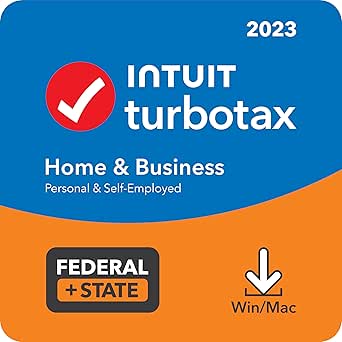 | Best for Small-Business Form Preparation | Tax year: 2023 | Platform: PC and Mac download | Included federal e-files: Five | VIEW LATEST PRICE | See Our Full Breakdown |
| TurboTax Home & Business Desktop Edition 2025 |  | Best for Current-Year Business Returns | Tax year: 2025 | Software type: Desktop download | Windows compatibility: Windows 11 | VIEW LATEST PRICE | See Our Full Breakdown |
| H&R Block Premium Tax Software 2019 for Windows (PC Online Code) |  | Best for Legacy Windows Filing | Tax year: 2019 | Platform: Windows PC online code | Operating systems: Windows 7, Windows 8.1, and Windows 10 | VIEW LATEST PRICE | See Our Full Breakdown |
| TurboTax Business Desktop Edition 2025 – Federal Tax Return Software for Windows 11 | 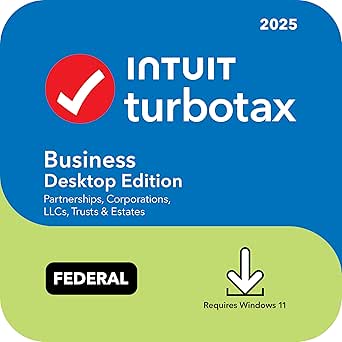 | Best for Partnerships and Corporations | Tax year: 2025 | Platform: Windows 11 | Included federal e-files: Five | VIEW LATEST PRICE | See Our Full Breakdown |
| H&R Block Tax Software Premium & Business 2025 for Windows PC |  | Best for Self-Employed Owners With Business Returns | Premium operating system: Windows 10 or higher | Business operating system: Windows 11 | Processor: 32-bit processor required for both versions | VIEW LATEST PRICE | See Our Full Breakdown |
| tax preparation software for self employed | Tax year | Platform | Processor | Included federal e-files |
|---|---|---|---|---|
| H&R Block Premium Tax Software | 2025 | Windows and Mac | 32-bit | — |
| TurboTax Home & Business 2023 | 2023 | PC and Mac download | — | Five |
| TurboTax Home & Business Deskt | 2025 | — | — | Five |
| H&R Block Premium Tax Software | 2019 | Windows PC online code | 32-bit | — |
| TurboTax Business Desktop Edit | 2025 | Windows 11 | — | Five |
| H&R Block Tax Software Premium | — | — | 32-bit processor required for both versions | — |
More Details on Our Top Picks
For a self-employed filer who wants help working through business deductions without giving up desktop software, H&R Block Premium 2025 is a balanced choice. Its Schedule C guidance and AI Tax Assist can help answer questions as they arise, while importing 1099s and a prior return may reduce repetitive data entry. Compared with TurboTax Home & Business Desktop Edition 2025, it includes one state program download and supports both Windows and Mac, though TurboTax offers business-form creation and optional live tax advice. H&R Block also covers Schedule A and E, which can suit someone with itemized deductions or rental income alongside self-employment. The tradeoff is that only one state program is included, and the stated system requirements rule out older operating systems.
Pros:- AI Tax Assist offers real-time answers and step-by-step guidance.
- Imports W-2, 1099, 1098, and prior-year return information.
- Provides guidance for Schedule A, C, and E.
- Includes one state program download.
Cons:- Only one state program is included; additional state programs cost extra.
- Requires Windows 10 or macOS 12 Monterey and a 1024 x 768 display.
Best for: Self-employed Windows or Mac users who want guided Schedule C help and may also report itemized deductions or rental income.
Not ideal for: Filers using older computers, or people who need multiple state returns included without extra purchases.
- Tax year:2025
- Platform:Windows and Mac
- Operating system:Windows 10 or macOS 12 Monterey
- Processor:32-bit
- Hard drive space:Windows: 1.5 GB; Mac: 150 MB
- Minimum screen resolution:1024 x 768
- Internet connection:Required
- Included state program:One download
Our verdict“Choose H&R Block Premium 2025 for guided self-employment filing across Windows and Mac, especially if Schedule A or E matters alongside Schedule C.”
TurboTax Home & Business 2023 (PC/Mac Download) Federal & State Tax Return
TurboTax Home & Business 2023 suits self-employed filers whose tax work includes more than reporting business income: it can also create and e-file W-2s and 1099s through Quick Employer Forms. That makes it more useful for a small-business owner handling worker paperwork than H&R Block Premium Tax Software 2025, which emphasizes guided deductions and Schedule A, C, and E support. The software also searches for deductions and credits and includes five federal e-files, a practical fit for households with multiple federal returns. Its age is the main caveat in this lineup: this is the 2023 edition, not a current-year option like TurboTax Home & Business Desktop Edition 2025. One state e-file is included, but additional states require a separate purchase, and access requires an Intuit account.
Pros:- Tailored guidance for self-employed people and small-business owners.
- Searches for a broad range of deductions and credits.
- Quick Employer Forms supports creation and e-filing of W-2s and 1099s.
- Includes five federal e-files and one state e-file.
Cons:- The 2023 edition is older than the 2025 software options in this roundup.
- Additional state e-files require a separate purchase.
- Requires an Intuit account, and support hours may be limited.
Best for: Self-employed owners of small businesses who need to prepare their own return and create W-2 or 1099 forms for workers.
Not ideal for: Anyone preparing a current-year return or seeking a version without an Intuit account requirement.
- Tax year:2023
- Platform:PC and Mac download
- Included federal e-files:Five
- Included state e-files:One; additional states sold separately
- Support:Free U.S.-based product support; hours may vary
- Account requirement:Intuit account required
- Employer forms:Create and e-file W-2s and 1099s with Quick Employer Forms
Our verdict“Pick this edition only if its 2023 tax year fits your filing need and you value employer-form tools alongside self-employment guidance.”
TurboTax Home & Business Desktop Edition 2025
For a self-employed filer preparing a 2025 return who wants business-specific tools, TurboTax Home & Business Desktop Edition 2025 offers a broad workflow: industry-specific deductions, audit alerts, and tools to create W-2s, 1099s, and K-1s. Optional live tax advice adds access to a person when software guidance is not enough, although that advice costs extra. Compared with H&R Block Premium Tax Software 2025, TurboTax adds business-form creation and K-1 support, while H&R Block has broader stated Schedule A, C, and E guidance and one state program download included. TurboTax includes five federal e-files and one state return, with additional states sold separately. Its biggest limitation is compatibility: it requires Windows 11 or newer listed macOS versions, so Windows 10 users need another option.
Pros:- Supports industry-specific deductions and credits with audit alerts.
- Can create W-2, 1099, and K-1 forms.
- Includes five federal e-files and one state return.
- Offers U.S.-based technical support and optional live tax advice.
Cons:- Does not support Windows 10; Mac support starts at macOS 14 Sonoma.
- Additional state e-files must be purchased separately.
- Live tax advice incurs an additional fee.
Best for: Self-employed people and small-business owners filing a 2025 return who need business forms, audit alerts, or optional live advice.
Not ideal for: Windows 10 users, people on older Macs, or filers who want live tax advice included without an added fee.
- Tax year:2025
- Software type:Desktop download
- Windows compatibility:Windows 11
- Mac compatibility:macOS 14 Sonoma, macOS 15 Sequoia, or macOS 26 Tahoe
- Included federal e-files:Five
- Included state e-files:One; additional states sold separately
- Business forms:Create W-2s, 1099s, and K-1s
- Tax assistance:Optional live tax advice
Our verdict“Choose this TurboTax edition for current-year self-employment filing when its business-form tools matter more than wider compatibility or included extra state coverage.”
H&R Block Premium 2019 is a narrow fit for someone who specifically needs an older Windows tax program and Schedule C support. The listing describes live tax advice, rental-income deduction support, and advanced calculators, which may suit a filer handling both business and rental activity. Compared with H&R Block Premium Tax Software 2025, though, this edition is several tax years older and lacks the newer product’s stated AI Tax Assist and Windows/Mac support. Its Windows 7, 8.1, and 10 compatibility may appeal to users with older PCs, but that does not make it a sensible substitute for software intended for a current-year return. The product data does not specify state e-file details, so buyers should verify what the code includes before relying on it.
Pros:- Includes Schedule C guidance for self-employed filing.
- Supports rental-income deductions.
- Offers live tax advice via online chat.
- Includes advanced tax calculators.
Cons:- The 2019 tax year is unsuitable for most current-year filing needs.
- Windows-only; Mac support is not listed.
- State return and e-file details are not specified in the product data.
Best for: A Windows user with a specific need for the 2019 tax year who wants Schedule C and rental-income tools.
Not ideal for: People preparing a current-year return, Mac users, or buyers who need clearly stated state-filing coverage.
- Tax year:2019
- Platform:Windows PC online code
- Operating systems:Windows 7, Windows 8.1, and Windows 10
- Processor:32-bit
- Business schedule support:Schedule C guidance
- Rental income:Rental-income deduction support
- Tax assistance:Live advice via online chat
Our verdict“Consider this only for a specific 2019 filing need on Windows; current-year filers are better served by H&R Block Premium 2025.”
TurboTax Business Desktop Edition 2025 – Federal Tax Return Software for Windows 11
TurboTax Business Desktop Edition 2025 is aimed at business entities, not the typical sole proprietor filing a personal return with Schedule C. It supports partnerships, S and C corporations, LLCs, trusts, and estates, with tools for asset depreciation, K-1s, W-2s, and 1099s. That makes it a better match than TurboTax Home & Business Desktop Edition 2025 when the filing obligation belongs to an entity; the Home & Business edition is the more directly aligned choice for an individual self-employed filer. This Business edition includes five federal e-files and audit alerts, but it is Windows 11-only, and state forms are sold separately. A buyer should confirm the business structure and return type before choosing it, since entity-focused software may not replace personal tax software.
Pros:- Supports partnerships, S and C corporations, LLCs, trusts, and estates.
- Provides tools for W-2, 1099, and K-1 forms.
- Includes asset depreciation features and audit alerts.
- Includes five federal e-files and U.S.-based technical support.
Cons:- Windows 11 only; not compatible with Windows 10 or macOS.
- Business state forms are sold separately.
- Entity-focused coverage may not meet a sole proprietor’s personal-return needs.
Best for: Owners or administrators filing federal returns for partnerships, S or C corporations, LLCs, trusts, or estates on Windows 11.
Not ideal for: Sole proprietors who only need a personal return with Schedule C, Mac users, or businesses that need state forms included.
- Tax year:2025
- Platform:Windows 11
- Included federal e-files:Five
- Supported entities:Partnerships, S corporations, C corporations, LLCs, trusts, and estates
- Business forms:W-2, 1099, and K-1 forms
- Additional features:Asset depreciation and audit alerts
- State forms:Sold separately
- Support:U.S.-based technical support; hours may vary
Our verdict“Choose this edition for a Windows 11 business entity federal return; sole proprietors should compare it with TurboTax Home & Business 2025 instead.”
I’d choose this package when self-employment involves more than reporting business income on an individual return. It covers individual, LLC, partnership, and corporate filings, plus estate, trust, and nonprofit forms, making it broader than H&R Block Premium Tax Software 2025, which is aimed at individual tax preparation. Importing W-2s, 1099s, 1098s, and prior-year data can reduce manual entry, while AI Tax Assist offers answers as questions arise. Five federal e-files and unlimited state program downloads add filing flexibility. The tradeoff is a strict Windows requirement: the Business edition requires Windows 11, and its 15 GB storage requirement may be a poor fit for older or crowded PCs. I’d skip it if you only need a straightforward self-employed individual return or use a Mac.
Pros:- Supports individual, corporate, partnership, LLC, estate, trust, and nonprofit returns
- Imports W-2, 1099, 1098, and prior-year data from tax software such as TurboTax and Quicken
- AI Tax Assist provides real-time answers while preparing a return
- Includes five federal e-files and unlimited state program downloads
Cons:- Business edition requires Windows 11; there is no Mac or mobile version
- Business installation requires 15 GB of available storage
- Internet connection is required
Best for: Self-employed owners filing an individual return alongside an LLC, partnership, or corporate return on a Windows 11 PC
Not ideal for: Mac users, people who need mobile filing, or sole proprietors seeking only a basic individual return
- Premium operating system:Windows 10 or higher
- Business operating system:Windows 11
- Processor:32-bit processor required for both versions
- Premium hard drive space:1.5 GB available
- Business hard drive space:15 GB available
- Monitor resolution:1024 × 768 SVGA color monitor
- Printer compatibility:Inkjet or laser printer
- Internet connection:Required
Our verdict“Choose this package if you need broad business-return coverage alongside self-employed individual filing and have a Windows 11 PC with enough storage.”

How We Picked
I ranked these options by how closely each product appears to fit the common self-employed filing task: preparing an individual return that includes sole-proprietor business income. I also weighed the stated tax year, whether the listing is for personal or entity returns, the named operating systems, and how clearly the product’s intended use can be distinguished. Those factors matter more than brand familiarity because choosing the wrong return type or tax year can leave a buyer with software that does not fit the filing job.
TurboTax Home & Business Desktop Edition 2025 ranks first for its direct match to self-employed individual filing. The current-year H&R Block options follow as alternatives, while TurboTax Business is placed lower because its business-return focus may not suit a sole proprietor filing a personal return. The older 2023 and 2019 editions rank last for most buyers seeking current filing software. Product titles alone do not establish included forms, state filing coverage, support terms, or compatibility details, so I treat those as items to verify before purchase rather than assumed benefits.
| tax preparation software for self employed | Platform |
|---|---|
| H&R Block Premium Tax Software | Windows and Mac |
| TurboTax Home & Business 2023 | PC and Mac download |
| TurboTax Home & Business Deskt | — |
| H&R Block Premium Tax Software | Windows PC online code |
| TurboTax Business Desktop Edit | Windows 11 |
| H&R Block Tax Software Premium | — |
Factors to Consider When Choosing Tax Preparation Software For Self Employed
Before choosing a download, match the software to the return you actually file. The product name, business label, or familiar brand does not tell the whole story: tax year, legal structure, computer support, and state filing needs can change which option is suitable.
Match the Software to Your Filing Year
Tax software is tied to a specific filing year, so check the year of the return you need to prepare rather than relying on the product’s release date or a current-looking listing. The 2019 H&R Block and 2023 TurboTax products in this roundup are older editions and should not be treated as substitutes for 2025 software. A prior-year edition can make sense when you are catching up on an overdue return for that exact year, but it may not handle later tax law or forms. Confirm that the product covers the tax year printed on your documents, including any amended-return need. This simple check can prevent buying software that opens successfully but cannot prepare the return you intend to file.
Know Whether You Need an Individual or Entity Return
Many freelancers and sole proprietors report business activity on an individual return, while corporations and some partnerships file separate business returns. That distinction explains why a product called “Business” is not automatically the right choice for every self-employed person. Before selecting software, identify your legal structure and the return forms it requires; consult a tax professional if the structure or filing obligation is unclear. Buyers who need both a personal return and an entity return should check whether they need separate programs. A mismatch here can create extra work even when the software supports business income in some form.
Check Computer and Installation Requirements
Desktop software can be a good fit for people who prefer local installation or want to prepare returns on a specific computer, but operating-system support varies by edition. One listing here names Windows 11 specifically, while other product titles mention Windows and Mac; those labels are not a substitute for checking the publisher’s exact system requirements. Verify supported operating-system versions, available storage, activation rules, and whether the download can be installed on your device. Also confirm whether a license allows installation on more than one computer if that matters to your household. A compatibility check before purchase is easier than finding out after an activation code has been redeemed.
Check State Return Coverage Separately
Federal and state filing are separate parts of the buying decision, and a product title that mentions a federal return does not establish that a state return is included. Check whether your state is supported, whether state software is included or requires a separate purchase, and how many state returns the license permits. This matters most for people who moved, worked across state lines, or have business activity connected to more than one state. Do not assume every state form or e-filing option is covered just because the software supports federal self-employment income. Confirm these details before choosing between otherwise similar editions.
Choose Guidance Based on Your Tax Complexity
A new freelancer with straightforward income and expenses may benefit most from clear prompts and explanations, while a filer with inventory, depreciation, employees, or multiple income sources should focus on form coverage and workflow depth. More guided software can reduce uncertainty, but it may still leave specialized questions unresolved. Before buying, list the forms and schedules you expect to need and compare them with the publisher’s coverage information. Avoid paying for a business-focused edition solely because your work is self-employed; the added scope may not serve your filing situation. If your return involves complex entity or state rules, professional tax advice may be more useful than changing software tiers.
Treat Old Editions and License Details Carefully
Older boxed or downloadable editions can be relevant for prior-year returns, but a dated product may have limited support, activation, or filing availability. Check whether the license code is unused, whether the publisher still permits activation, and whether electronic filing remains available for the tax year you need. A product listing’s title alone cannot confirm any of those conditions. Keep a copy of the purchase and activation details, and avoid assuming that an older edition will receive updates for newer forms. For most current filers, a supported edition for the correct year is a safer choice than an older version with uncertain service status.
Frequently Asked Questions
Can a sole proprietor use TurboTax Business Desktop Edition 2025?
Not necessarily. A sole proprietor usually reports business income and expenses as part of an individual tax return, while business-entity software is intended for returns filed by eligible entities. The product title alone does not establish that it prepares the individual return a sole proprietor needs. Check the publisher’s supported return types and forms before buying, and confirm whether you also need separate personal-return software. If you are unsure how your business is classified, verify that with a tax professional before choosing a program.
Are the 2019 H&R Block or 2023 TurboTax editions suitable for a current return?
Those editions are dated and should not be assumed to support a current-year return. They may be relevant if you need to prepare a return for the tax year named by the edition, but supported forms, updates, activation, and electronic filing can be limited by age. Check the exact tax year and the publisher’s current service status before purchasing. If you are filing a current return, a matching current-year edition is generally the more appropriate starting point.
Do I need separate software for my personal return and my business?
That depends on your legal structure and the returns it must file. Many sole proprietors include business activity on an individual return, while corporations and some partnerships file separate entity returns as well. A business-focused product may cover an entity return without preparing your personal return. Identify the forms required for your structure and check each product’s coverage before deciding whether one program or multiple programs are needed.
How can I tell whether state tax filing is included?
Look for explicit information about state software, supported states, and state e-filing in the product details; do not infer coverage from a federal-return label. Check whether the license includes a state return, limits the number of state returns, or requires a separate purchase. This is especially relevant if you moved during the year or earned income in more than one state. If your situation involves multiple state filings, confirm the exact coverage with the publisher before buying.
What should I verify before buying a desktop tax software download?
Confirm the supported operating system and version, tax year, return type, and license activation requirements. Check whether the product supports your required federal and state forms, whether state filing is included, and whether the license permits installation on your intended computer. For older editions, verify that activation and filing services remain available for the return year you need. These checks help distinguish a compatible product from one whose title merely sounds like a fit.
Conclusion
Best overall: I recommend TurboTax Home & Business Desktop Edition 2025 for self-employed filers preparing an individual return with business income. Best alternative: H&R Block Premium Tax Software 2025 is the current-year H&R Block option to compare if its supported forms and workflow suit your needs. Best for entity returns: TurboTax Business Desktop Edition 2025 is the specific pick for buyers whose business structure calls for a business return, not just a sole-proprietor schedule. Best for beginners: choose between the current-year TurboTax Home & Business and H&R Block Premium editions by comparing their guidance and form coverage; the listings alone do not establish which has the simpler workflow. Best for a prior-year filing: the 2019 H&R Block or 2023 TurboTax edition may be relevant only when preparing the matching older tax year and after checking activation and filing support. For most current self-employed filers, start with the return type and tax year, then confirm operating-system and state coverage before purchasing.
Halloween Picks
halloween
As an affiliate, we earn on qualifying purchases.